Comparing Evaluation Runs
Overview
Compare evaluations to understand which variant performs better. This helps you make data-driven decisions about your LLM application.
Prerequisites
To compare evaluations, you need:
- Two or more completed evaluations
- All evaluations must use the same test set
Starting a comparison
After your evaluations complete, you can compare two or more of them:
- Go to the Evaluations page
- Click the compare button in the top right corner of the evaluation results page
- Select the evaluations you want to compare
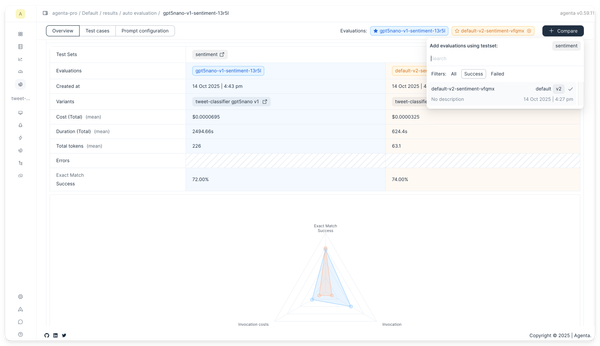
Overview comparison tab
The overview comparison tab shows aggregated results for all evaluators. The figures let you compare results between evaluations.
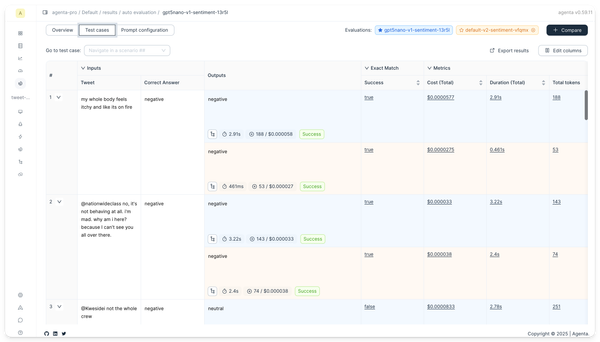
Test set comparison tab
The test set comparison tab shows results for each test case. The figures let you compare results between evaluations.
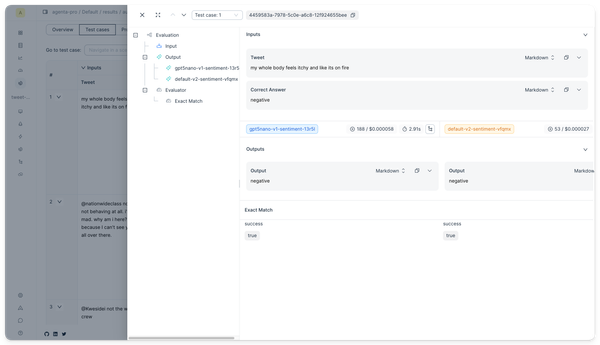
Click on a row to see a drawer with the full output and evaluator results side by side.
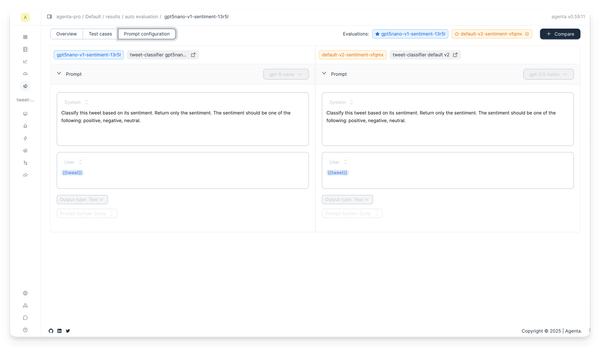
Prompt configuration comparison tab
The prompt configuration comparison tab shows the prompt configuration used for each evaluation. The figures let you compare prompt configurations between evaluations.
Next steps
- Learn about human evaluation for qualitative feedback
- Explore evaluation concepts to understand evaluation approaches
- Understand evaluator types to choose the right metrics