Running one AI prompt in a browser tab is easy. Keeping five recurring AI agents reliable across cron schedules, webhook events, connected SaaS tools, and human review is an orchestration problem.
When startups, operations teams, and automation agencies search for the best AI agent orchestration platforms, they usually run into a confusing mix of tools. Some results point to developer-only Python SDKs like LangGraph or CrewAI that require you to build your own backend, queue, and UI from scratch. Other results list enterprise workflow tools that charge hundreds of dollars per month as soon as a third teammate or second client project joins.
This guide focuses on the platforms that give your team a working orchestration layer out of the box: a place to configure agents, connect tools, schedule recurring runs, review outputs with teammates, and inspect traces and costs. We also show how these low-code and workspace platforms compare with code-first frameworks so you can pick the right layer for your team.
The Best AI Agent Orchestration Platforms at a Glance
| Platform | Best for | Orchestration style | Pricing |
|---|---|---|---|
| Agenta | Shared AI coworkers, Slack & web embeds, versioned skills, and open-source self-hosting | Conversational coworker & automation workspace (instructions, skills, schedules, webhooks) | Free cloud ($10 credits, 3 seats); Starter $29/mo (unlimited seats); Plus $99/mo; Free self-hosted (MIT) |
| Gumloop | Visual low-code AI workflows for GTM, SEO, and web scraping | Visual drag-and-drop AI node canvas and sub-flows | 14-day trial; Pro from $37/mo (20,000 credits, unlimited seats); Enterprise custom |
| n8n | Technical operators combining deterministic SaaS workflows with AI agent nodes | Node-based execution graph with JavaScript and Python steps | Free self-hosted; Cloud Starter €20/mo billed annually (2,500 executions, unlimited users); Pro €50/mo |
| Relevance AI | Visual multi-agent sales and GTM role hierarchies | Visual Workforce canvas with sub-agent handoffs and custom Tool steps | 14-day trial; Pro $19/mo annual (2 Build Users, 1 project); Team $234/mo annual (5 Build Users) |
| Dify | Engineering teams building RAG pipelines and visual LLM app backends | Visual DAG studio for prompts, knowledge retrieval, and agent nodes | Free self-hosted; Cloud Sandbox free; Professional $59/workspace/mo (3 seats); Team $159/workspace/mo |
| Lindy | Template-driven business assistants for email, calendar, and CRM tasks | Trigger-and-action assistant builder with condition branches | 7-day trial; Plus from $29.99/user/mo (3,000 credits); Pro custom |
| Dust | Company-wide assistants grounded in Notion, Google Drive, GitHub, and Slack | Knowledge spaces with @agent mentions and multi-step tool actions |
Free trial; Pro €24/seat/mo billed annually (€30 monthly); Enterprise custom |
| Langdock | European-hosted multi-model team chat, department agents, and compliance | Shared chat workspace with custom assistants and modular workflow add-on | Business €25/user/mo; Enterprise €99/user/mo; Workflows add-on from €539/mo |
| Make | High-volume visual routing across 3,000+ business apps | Visual multi-app scenario builder and Make Grid architecture view | Free (1,000 credits/mo); Core $9/mo annual; Pro $16/mo; Teams $29/mo |
What Is AI Agent Orchestration? (Low-Code Platforms vs. Code Frameworks)
In plain terms, AI agent orchestration is the control layer that turns an LLM from an isolated chatbot into a dependable operational worker. An orchestrator handles five jobs every time a task runs:
- Triggers and schedules: Starting an agent on a cron schedule (such as a 6:00 AM daily report), a webhook from HubSpot or GitHub, or a message in a Slack channel.
- Context and memory: Supplying the agent with durable business instructions, reusable skills, and access to workspace files or knowledge bases.
- Tool execution and handoffs: Calling external APIs, web scrapers, or sub-agents in the right order and passing structured outputs from one step to the next.
- Human-in-the-loop gates: Pausing before high-stakes actions (such as publishing a pull request, sending an email, or updating CRM records) so a teammate can review and approve.
- Traceability and cost tracking: Recording every model call, tool payload, latency spike, and token cost so you can debug failures and keep spend predictable.
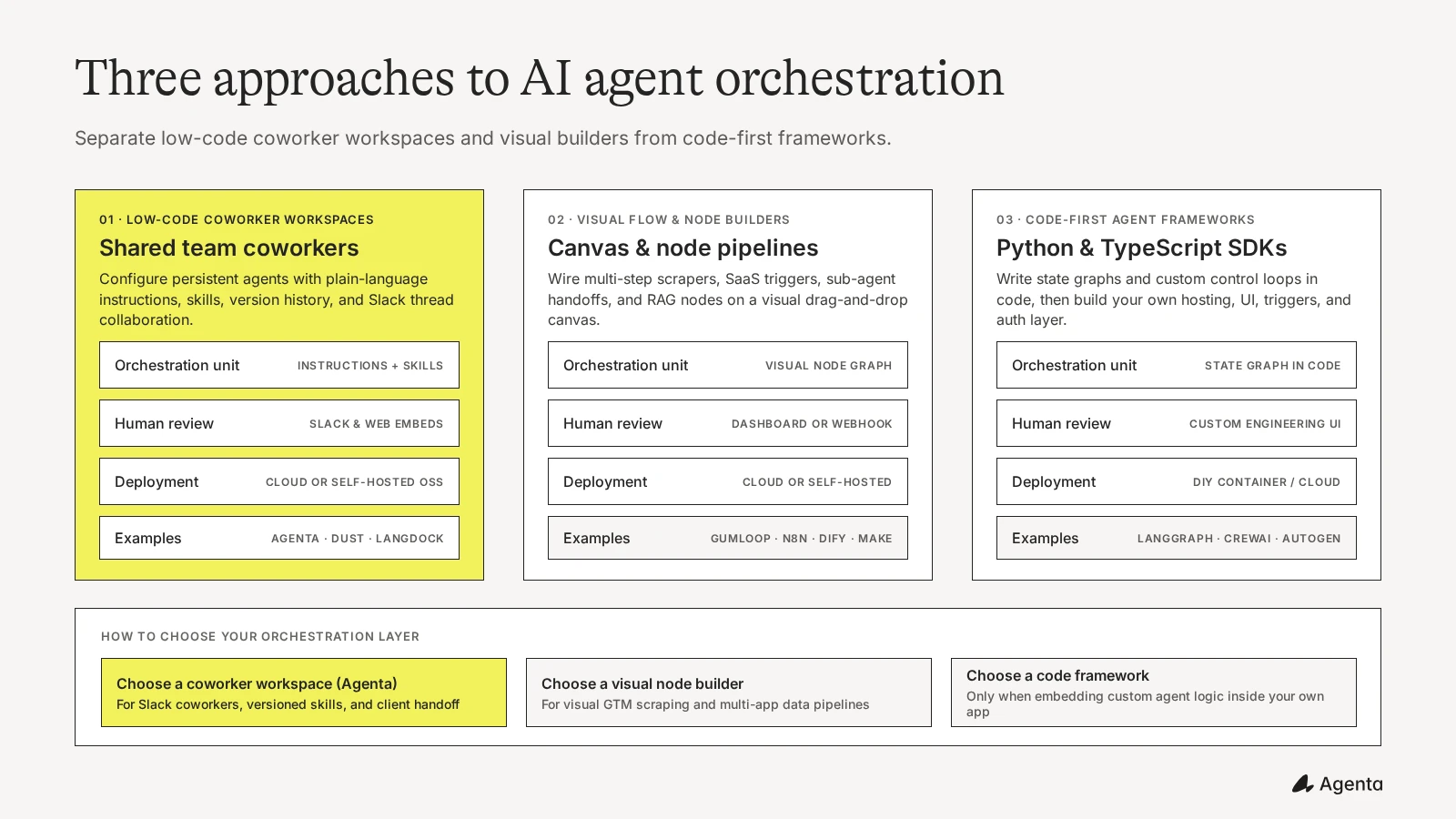
When evaluating orchestration tools, the first decision is whether you want a platform or a code framework:
| Dimension | Low-Code & Workspace Orchestration Platforms (Agenta, Gumloop, n8n, Relevance AI, Dify) | Code-First Agent Frameworks (LangGraph, CrewAI, AutoGen, OpenAI Agents SDK) |
|---|---|---|
| How you build | Plain-language instructions, reusable skills, or visual drag-and-drop canvases | Python or TypeScript state graphs, classes, and control loops in your IDE |
| Included infrastructure | Built-in workspace UI, cron schedules, webhooks, OAuth tool connections, and trace logs | Library only; you deploy and maintain your own API server, queue, database, and auth |
| Human collaboration | Shared Slack channels, approval cards, embeddable chat widgets, and team workspaces | Requires custom frontend engineering for every human approval or chat view |
| Who can maintain it | Founders, GTM leads, agency consultants, and engineers working together | Software engineers with access to the codebase and CI/CD deployment pipeline |
| Best use case | Internal operations, GTM/SEO automation, agency client delivery, and team coworkers | Embedding custom agent logic deeply inside your own SaaS product’s backend |
If you are a software engineer building agent logic directly inside your own SaaS product’s backend microservice, a Python or TypeScript SDK like LangGraph or CrewAI gives you low-level code control. If you are a startup team, operations lead, or automation agency that wants working AI coworkers, scheduled automations, Slack collaboration, and trace visibility today without maintaining custom infrastructure, the nine platforms below are built for that job.
How to Choose an AI Agent Orchestration Platform
Before comparing individual tools, check four practical details that determine whether a platform still fits six months after launch:
- Plain-language coworker configuration vs. brittle visual graphs: Visual node graphs are helpful for fixed 4-step data pipes. Once an agent needs 15 tools, conditional retries, and evolving editorial or operational rules, maintaining a tangled spiderweb of arrows becomes a bottleneck. Platforms that combine plain-language instructions and modular skills with version history let non-engineers and engineers iterate much faster.
- Where human review actually happens: An orchestration platform is only as fast as its approval loop. If your team or agency client lives in Slack, an agent that posts its draft, link, or approval request directly into a Slack thread gets reviewed in minutes. Agents trapped inside a separate builder dashboard often sit waiting for someone to log in.
- How steps, tokens, and seats are metered: Look closely at whether the platform bills per full workflow execution (like n8n), from a single credit pool (like Agenta or Gumloop), or across dual usage meters where every internal tool call consumes platform actions on top of model tokens (like Relevance AI). Also check how many teammates can edit workflows before you hit a tier jump.
- Open-source self-hosting and client handoff: For automation agencies and security-conscious companies, MIT or open-source self-hosting means you can deploy an isolated instance on a client’s own cloud or VPC and hand it over cleanly without forcing them onto a $200+/month multi-project SaaS tier.
The 9 Best AI Agent Orchestration Platforms in 2026
1. Agenta
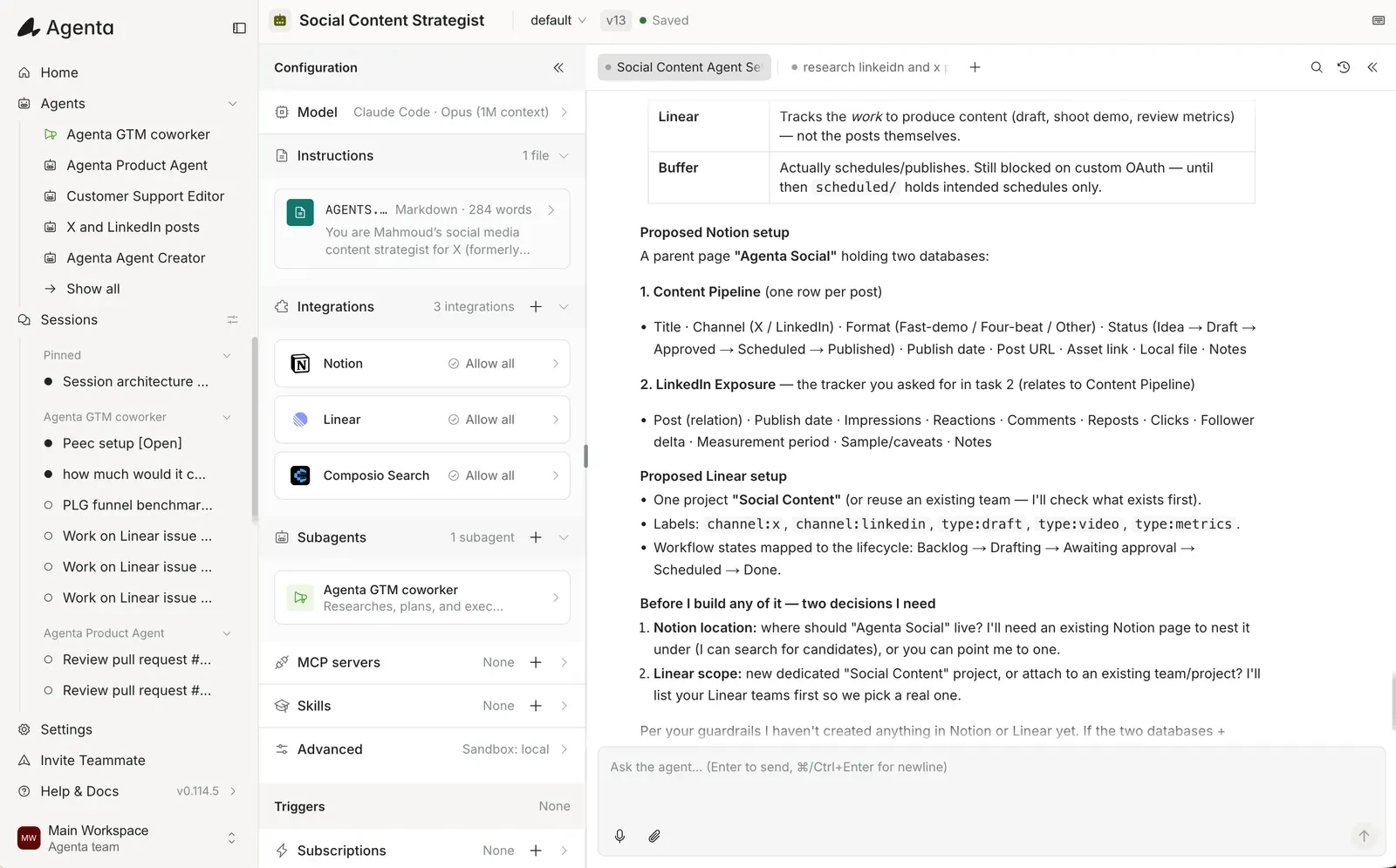
Agenta is an open-source, low-code workspace for building and orchestrating AI coworkers and recurring automations. Instead of wiring fragile box-and-arrow flowcharts for every edge case, you configure each agent with plain-language instructions, attach reusable skills, connect integrations, and bind the agent to cron schedules, webhook subscriptions, or Slack channels.
Agenta is designed around the way startups, midmarket teams, and automation agencies actually collaborate with agents day to day:
- Slack, messaging, and embeddable web channels: Agents can read, search, and post updates in shared Slack channels (
#team-marketing,#support,#revops), reply in threads, connect to Telegram or WhatsApp, and pause for human approval on sensitive actions. You can also publish any coworker as an embeddable chat iframe (Publish > Embed) inside an external website, customer portal, dashboard, or internal tool, with domain allowlists, per-visitor session keys, and host-page context passed directly into the conversation. - Shared agent files and temporary session files: Each coworker has two distinct file scopes. Session files hold one-off uploads and scratch work for a single conversation or run, while shared agent files persist across every session so brand guidelines, reference data, operating playbooks, and past reports stay available to the agent and your whole team over time.
- Versioning of instructions, skills, and tools: Every update to an agent’s instructions, attached skills, model selection, or tool permissions is saved as an immutable revision. If a change introduces a regression on a daily scheduled run, you can inspect the diff and roll back immediately.
- Cost and trace analytics: Every interactive session and scheduled delivery records a complete execution trace showing each step, tool call, latency, token count, and estimated model cost. You get full operational visibility without reconciling separate platform action counters and vendor credit pools.
- Works with an existing ChatGPT subscription (local self-hosted personal use): When running Agenta locally on your own machine for personal workflows, you can mount a local harness login (
Codex,Claude Code, orPi) and use your existing personal ChatGPT or Claude subscription. On Agenta Cloud or shared team deployments, runs use included cloud credits or your own provider API keys. - Self-hosting capability: Agenta’s core is open source under the MIT license on GitHub (
Agenta-AI/agenta). You can start on Agenta Cloud in seconds or self-host via Docker Compose on your own infrastructure or a client’s cloud environment. - Vendor, model, and harness freedom: Switch freely between OpenAI, Anthropic, Google, and custom endpoints, and run specialized coding and research harnesses (
Claude Code,Codex,Pi) inside an isolated sandbox with persistent shared files.
Best for: Startups, SMBs, midmarket teams, and automation agencies that want a low-code platform (as approachable as Gumloop and simpler to maintain than raw n8n graphs) to orchestrate shared AI coworkers across Slack, web embeds, cron schedules, and webhooks with versioned configuration and open-source ownership.
Pricing:
- Cloud Free: $0/month with $10 in included credits and up to 3 team members.
- Cloud Starter: $29/month with $30 in included credits and unlimited team members.
- Cloud Plus: $99/month with $110 in included credits and unlimited team members.
- Self-Hosted Open Source: Free under the MIT license using your own model API keys or local personal harness login.
Pros:
- Unlimited team seats on the $29/month Starter plan makes it easy for whole startup teams or agency client stakeholders to collaborate without per-seat penalties.
- Native Slack thread coworking, human approval gates, and embeddable web chat widgets (
Publish > Embed) let teams and external users work with agents wherever they already spend time. - Persistent shared agent files alongside temporary session files keep reference materials and past reports organized across runs.
- Immutable revision history across instructions, skills, and tools prevents silent prompt drift on scheduled automations.
- MIT-licensed open-source self-hosting gives agencies and engineering teams a clean deployment and handoff path.
Cons:
- Teams looking strictly for a visual drag-and-drop node canvas with 3,000+ deterministic legacy ERP connectors may prefer pairing Agenta with n8n or Make.
Verdict: Agenta is the strongest choice when you want orchestrated agents to work like real teammates: running on schedules and triggers, collaborating in Slack, keeping instructions and skills versioned, and scaling across your team or agency clients without seat or credit lock-in.
2. Gumloop
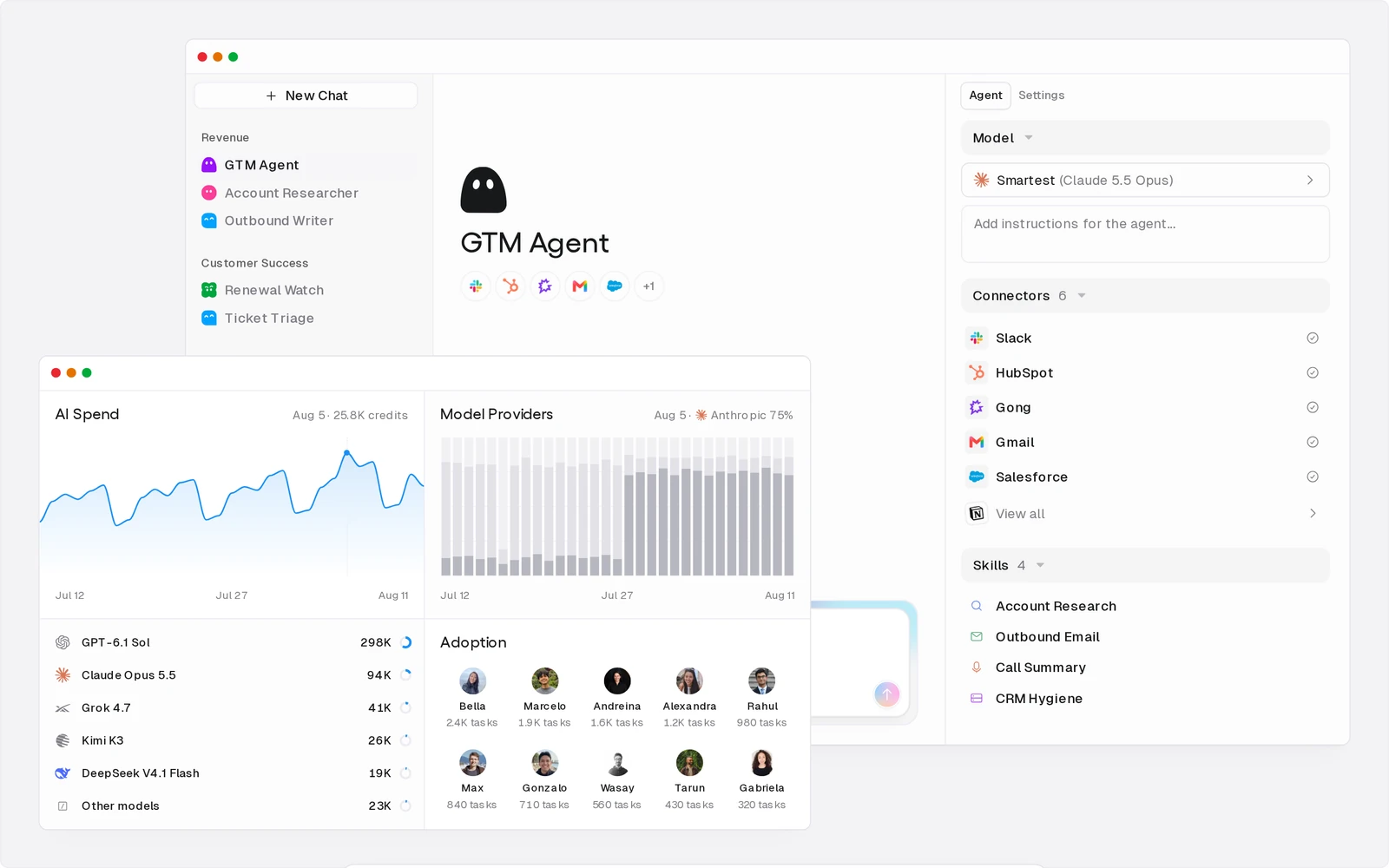
Gumloop is a visual, low-code AI workflow and agent orchestration platform popular with growth, SEO, and operations teams. It provides a drag-and-drop canvas where you connect web scrapers, document parsers, enrichment tools, LLM nodes, and sub-flows into repeatable pipelines without writing code.
To handle larger jobs, Gumloop supports sub-flows (reusable child workflows called like functions), loop nodes that process batches in parallel, and AI routing nodes that decide which branch to execute based on unstructured inputs. It also includes an internal chatbot and MCP builder called Gummie for triggering flows conversationally.
Best for: Marketing, SEO, and GTM operators who think visually and want to orchestrate multi-step web scraping, enrichment, and content workflows on a cloud canvas.
Pricing:
- Free Trial: 14-day free trial (Gumloop removed its permanent free plan).
- Pro: Starts at $37/month for 20,000 monthly credits (scaling up by credit volume) with unlimited seats, unlimited teams, 35+ models, 5 concurrent workflow runs, 25 concurrent agent chats, 1 hosted MCP server, webhooks, and BYOK support.
- Enterprise: Custom pricing for orchestration fee discounts, custom credit allocations, RBAC, SCIM/SAML SSO, audit logs, and optional VPC deployment.
- Orchestration fee & BYOK note: Gumloop bills model tokens, compute, and paid API tool calls at provider list cost plus an 8% orchestration fee. When you attach your own model API keys (BYOK), direct token credit charges drop to zero and Gumloop applies a 16% orchestration fee on the full list cost of the task.
Pros:
- Clean visual canvas with built-in web scraping, PDF parsing, and GTM enrichment nodes.
- Single credit pool and unlimited seats and teams on the Pro tier ($37/month) simplify team collaboration compared to per-builder pricing.
- Sub-flows and parallel loop nodes make batch processing straightforward for non-developers.
Cons:
- No permanent free tier beyond the 14-day trial, and cloud-only SaaS with no open-source or self-hosted option for client infrastructure handoffs.
- Applies an 8% platform orchestration fee on managed runs and a 16% orchestration fee on the equivalent task list cost when you bring your own model API keys.
Verdict: Gumloop is one of the easiest visual AI workflow builders for GTM and SEO pipelines, provided you are comfortable with cloud-only hosting and node-based maintenance.
3. n8n
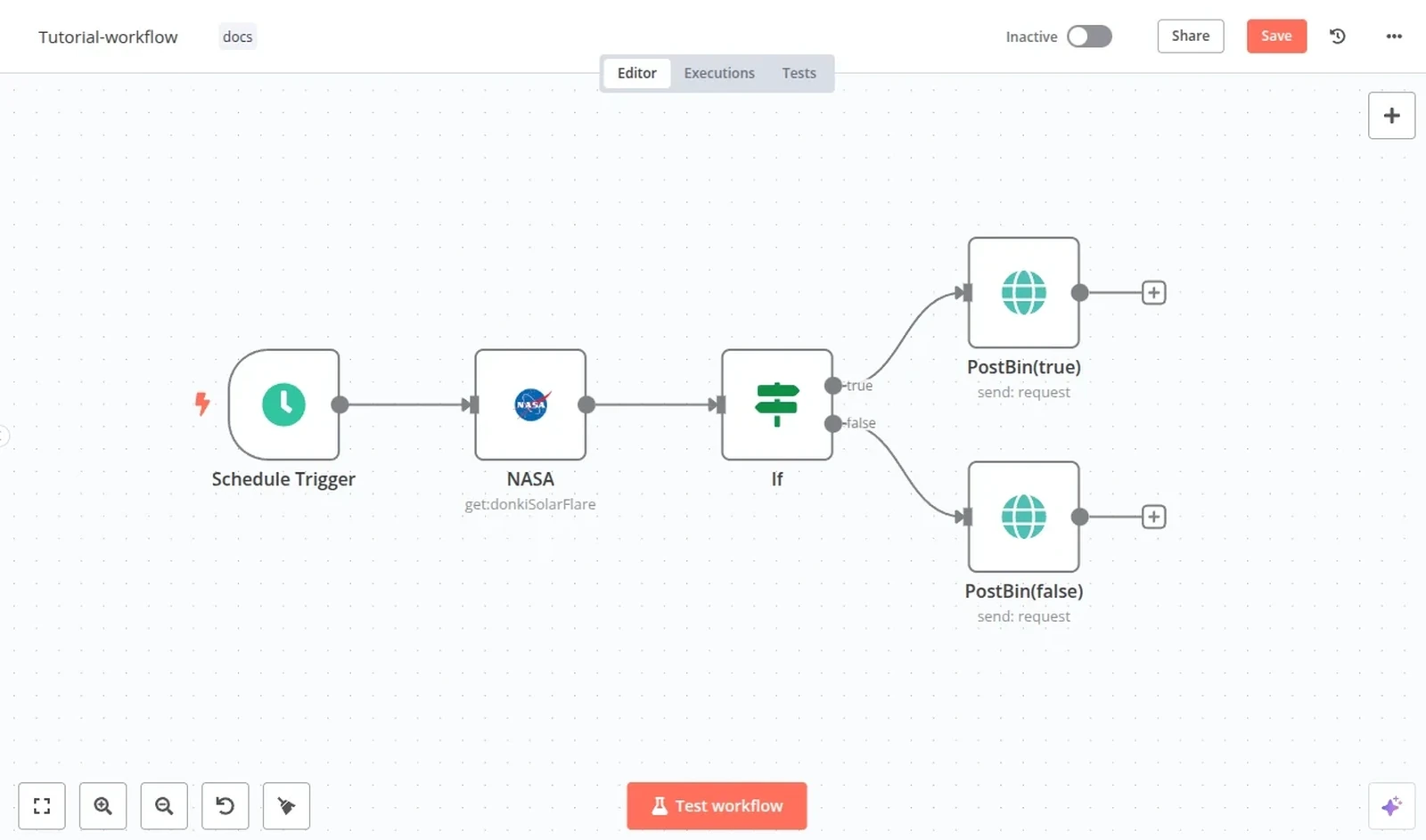
n8n is a source-available workflow automation platform that combines deterministic multi-app routing with LangChain-powered AI agent nodes, memory buffers, vector store connectors, and MCP tool integrations. Unlike autonomous canvases where an LLM decides the entire execution path, n8n lets technical builders keep data fetching, branching, and error handling inside predictable workflow nodes while scoping LLM calls to specific reasoning steps.
Every node in n8n exposes its exact JSON input and output payload, and builders can drop in JavaScript or Python code nodes whenever a visual connector needs custom transformation logic.
Best for: Technical operators, developers, and automation agencies that want deterministic node-based control, custom code steps, and per-execution billing or self-hosting.
Pricing:
- Community Edition (Self-Hosted): Free under the fair-code Sustainable Use License (you pay only for your server and direct LLM API keys).
- Cloud Starter: €20/month billed annually (€24 billed monthly) for 2,500 workflow executions, unlimited users, and 5 active workflows.
- Cloud Pro: €50/month billed annually (€60 billed monthly) for 10,000 workflow executions and 15 active workflows.
- Business / Enterprise: Starts at €667/month billed annually for Git version control, environments, and SSO.
Pros:
- Predictable per-execution billing on n8n Cloud: a 25-step workflow with 4 AI calls and 10 API steps counts as a single workflow execution.
- Zero platform markup on your own OpenAI, Anthropic, or local Ollama model keys.
- Self-hostable on Docker or Kubernetes for agencies managing dedicated client servers.
Cons:
- Fair-code Sustainable Use License restricts certain commercial multi-tenant hosting patterns compared to an MIT license.
- Does not include a native conversational coworker workspace; non-technical teammates still need Slack webhooks or a separate UI to interact with workflows.
Verdict: When your orchestration workload is 70% deterministic API plumbing and 30% AI reasoning, n8n offers strong reliability and cost efficiency.
4. Relevance AI
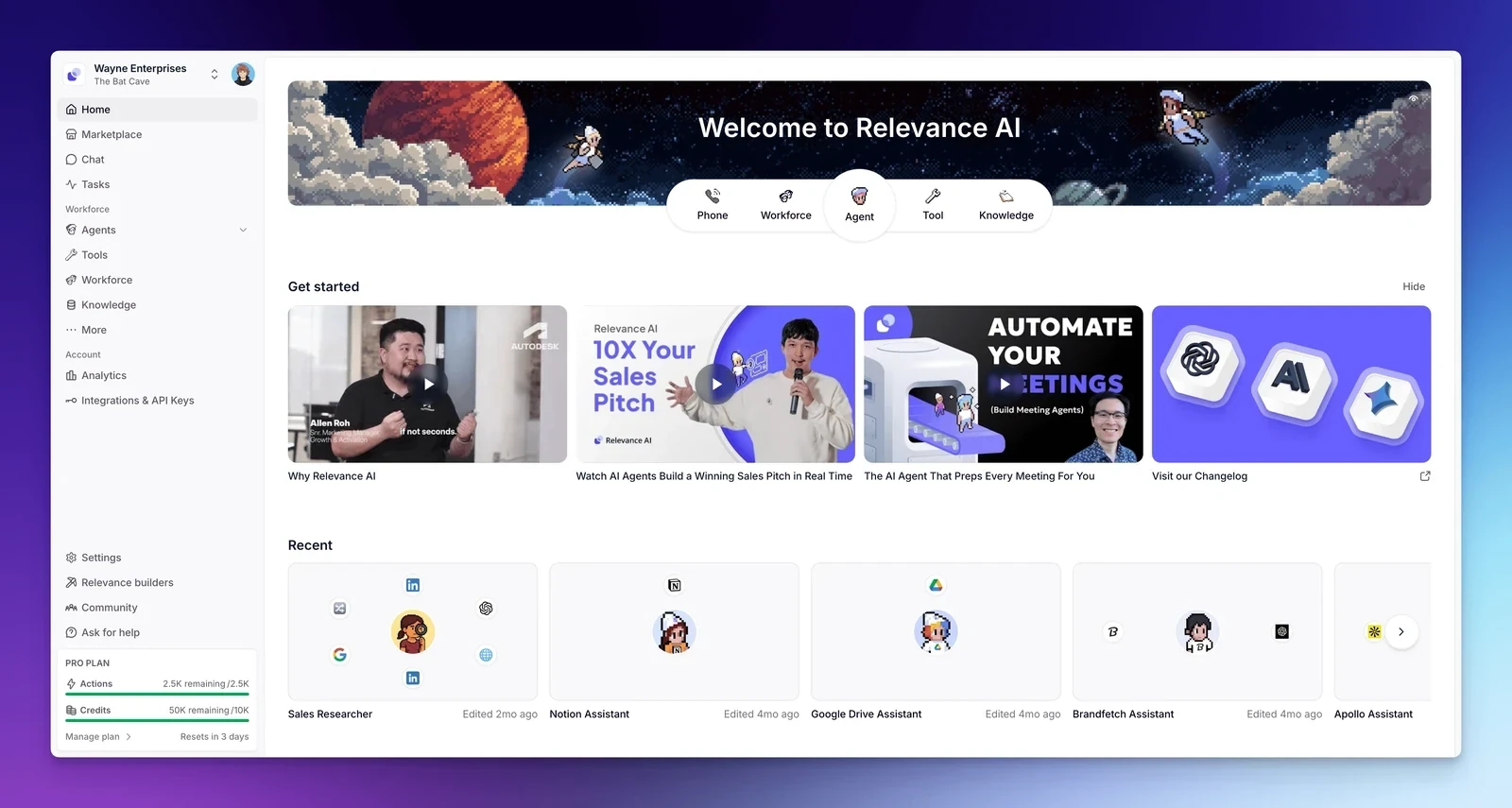
Relevance AI is a visual multi-agent builder centered on two concepts: Tools (sequential no-code pipelines that combine API calls, Python steps, and LLM prompts) and Agents organized on a visual Workforce canvas. On the Workforce canvas, a manager agent can delegate tasks to specialized sub-agents (such as an inbound lead qualifier handing off to a research agent and a CRM drafter) with conditional edges and human escalation rules.
Best for: Outbound sales and GTM teams that want to design role-based multi-agent org charts visually on a managed cloud canvas.
Pricing:
- Free Trial: 14-day trial (the permanent free plan was retired in October 2025).
- Pro: $19/month billed annually ($29 monthly) with 7,000 Actions/month, 2 Build Users, and 1 project.
- Team: $234/month billed annually ($349 monthly) with 7,000 Actions/month, 5 Build Users, 45 End Users, and 5 projects.
- Usage metering: Uses a dual-meter model where every tool step or agent run consumes Actions ($80 per 1,000 top-up Actions), and managed model calls consume Vendor Credits (bypassed only when using BYOK).
Pros:
- Purpose-built visual Workforce canvas for mapping multi-agent delegation and role boundaries.
- Strong library of pre-built B2B sales, LinkedIn research, and CRM enrichment templates.
Cons:
- Dual usage meters (Actions plus Vendor Credits) make per-run cost forecasting harder on multi-step loops.
- Steep pricing jump from Pro ($19/month annual for 2 Build Users and 1 project) to Team ($234/month annual) when a third builder or second client project joins.
- Cloud-only with no self-hosted deployment option.
Verdict: Relevance AI fits teams committed to visual multi-agent hierarchies for GTM outbound, though agencies and growing teams should watch the builder-seat and Action-meter math closely. (See our full breakdown of the best Relevance AI alternatives.)
5. Dify
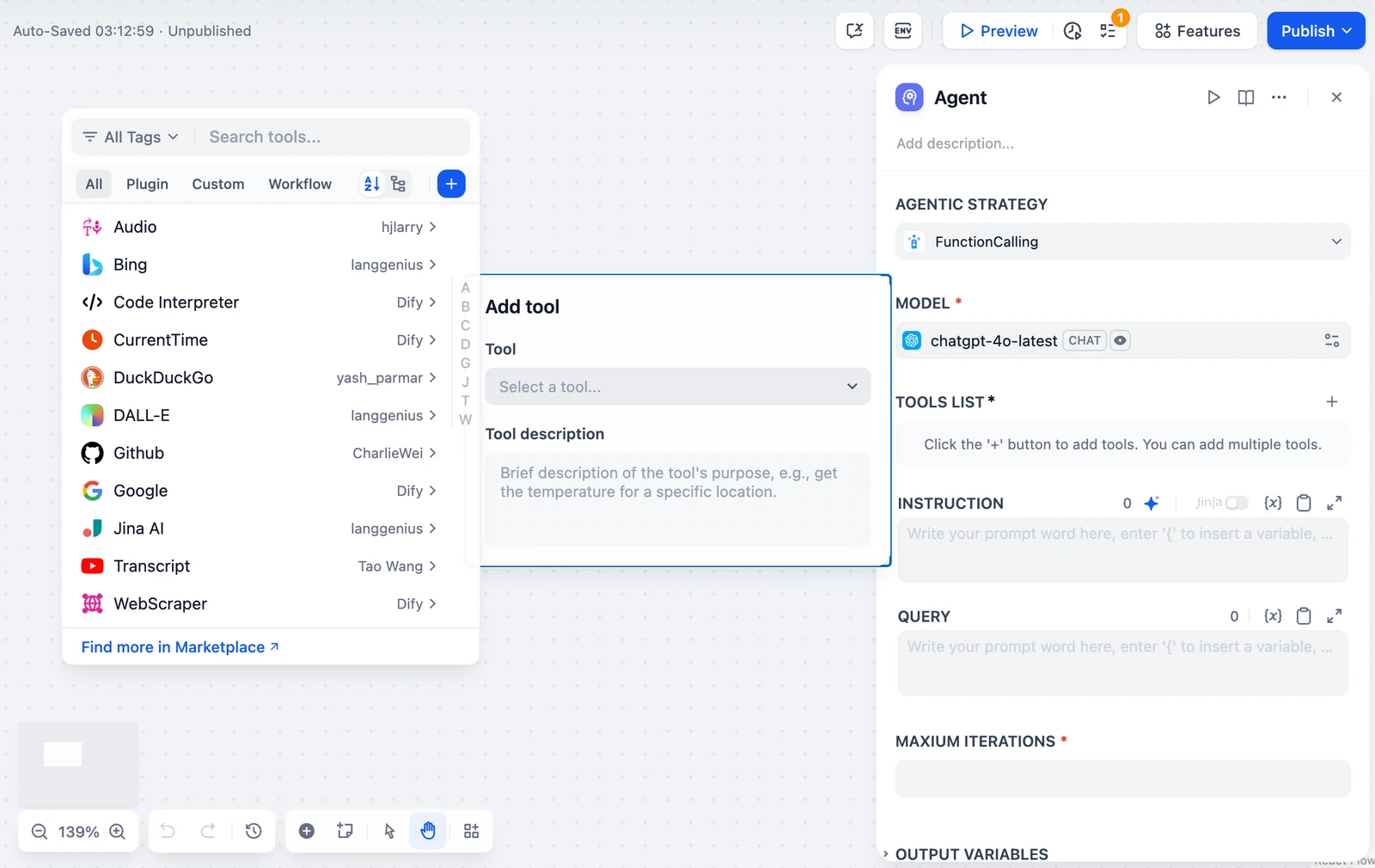
Dify is an open-source LLM application development platform that combines a visual workflow studio (Chatflow and Workflow DAG canvases), a built-in RAG knowledge pipeline (chunking, hybrid search, and reranking), and an agent node builder. Every orchestrated flow you build on the Dify canvas is automatically exposed as a REST API endpoint and an embeddable web widget.
Best for: Product and engineering teams that want a self-hostable visual studio for orchestrating RAG knowledge pipelines and backend LLM APIs.
Pricing:
- Community Edition (Self-Hosted): Free under the Dify Open Source License (Apache 2.0 base with commercial multi-tenant conditions).
- Cloud Sandbox: Free with 200 message credits and 1 workspace member.
- Cloud Professional: $59/workspace/month for 3 team members, 50 apps, and 5 GB vector storage.
- Cloud Team: $159/workspace/month for 50 team members and 200 apps.
Pros:
- Deep control over RAG ingestion, retrieval weighting, and structured JSON outputs inside a visual DAG editor.
- Full BYOK support across OpenAI, Anthropic, Gemini, AWS Bedrock, Ollama, and vLLM with zero token markup.
- Automatic REST API generation makes it easy to wire Dify workflows into a custom frontend.
Cons:
- Designed primarily as an engineering studio for building apps rather than a Slack-first coworker workspace for business operations.
- Fewer turnkey GTM and SaaS automation triggers than n8n, Make, or Gumloop.
Verdict: Dify is a strong choice when your orchestration problem centers on document retrieval (RAG) and shipping structured LLM endpoints from a visual canvas.
6. Lindy
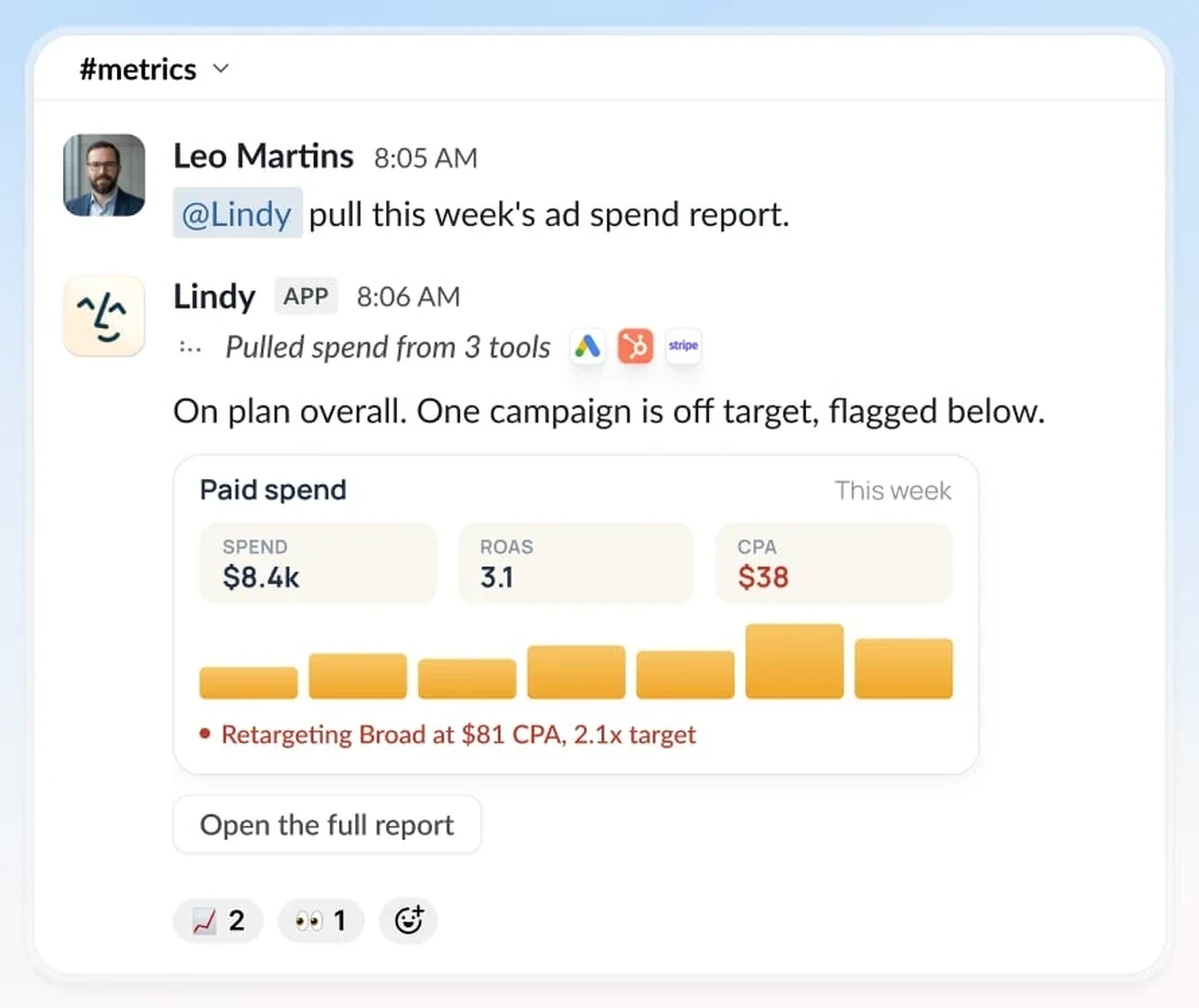
Lindy is a no-code business assistant platform built around ready-made “Lindies” that handle inbox triage, meeting scheduling, note taking, customer support replies, and CRM updates. Instead of asking users to design complex state graphs, Lindy provides a clean trigger-and-action builder where assistants wake up on a calendar event, incoming email, or webhook and follow conditional branches.
Best for: Non-technical founders and executives who want fast, template-driven assistants for email, calendar, and meeting coordination.
Pricing:
- Free Trial: 7-day trial with 400 credits.
- Plus: Starts at $29.99/user/month with 3,000 monthly credits.
- Pro & Enterprise: Custom tiers for higher credit volumes and team administration.
Pros:
- Very fast time-to-first-assistant for personal productivity, scheduling, and inbox workflows.
- Built-in human approval toggles before an assistant sends an external email or calendar invite.
Cons:
- Credit consumption can climb quickly on voice, phone, or high-frequency inbox routines.
- Less suited for versioned engineering workflows, deep code execution, or self-hosted agency deployments.
Verdict: Lindy works well when you want a template-driven executive or sales assistant up and running in an afternoon without touching code or schemas.
7. Dust
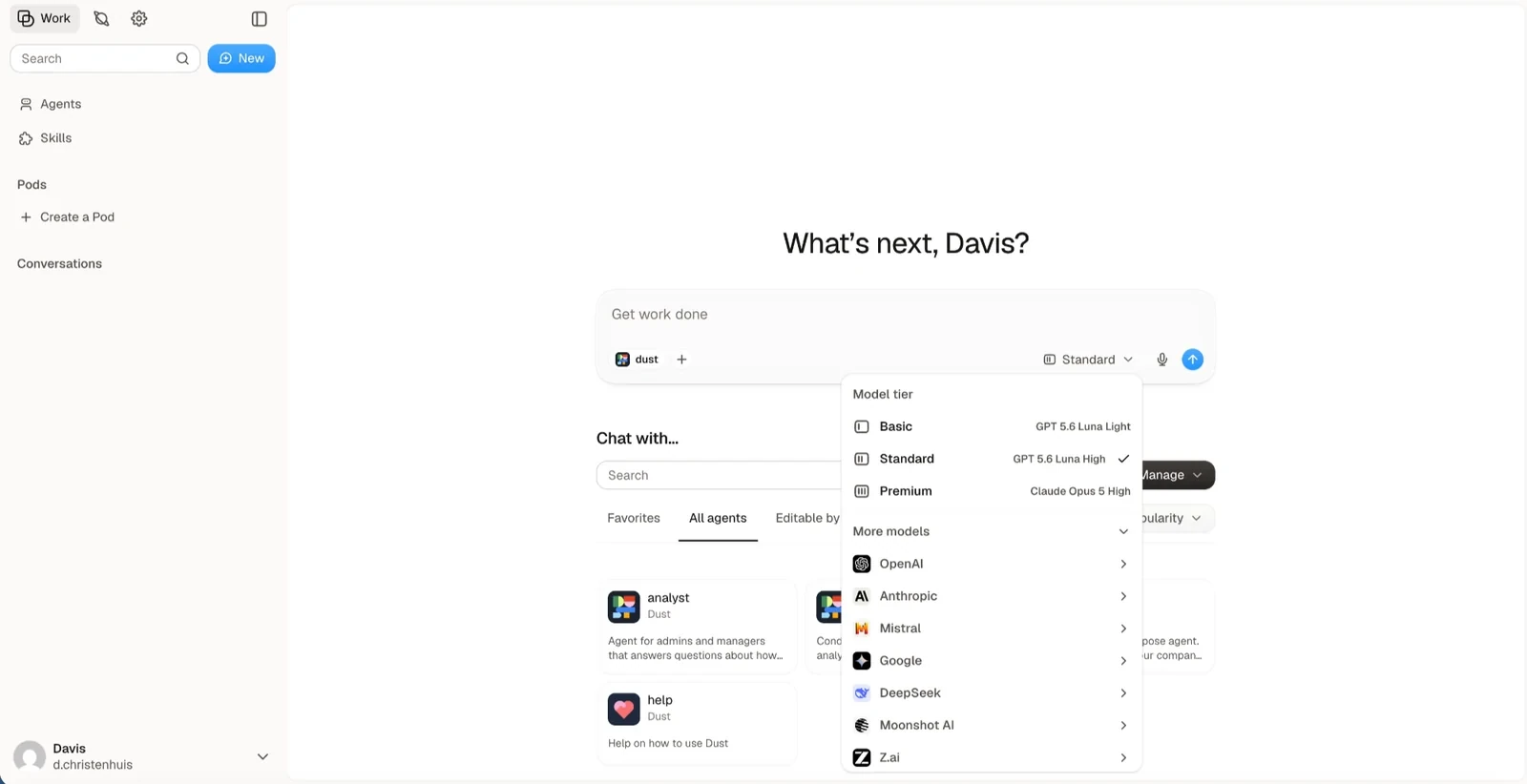
Dust is a collaborative AI agent platform focused on connecting company knowledge to shared team assistants. After an administrator connects Notion, Google Drive, Slack, GitHub, and Confluence, Dust continuously indexes those sources while respecting workspace permissions. Teammates can then create specialized @agents that combine semantic search, SQL/table queries, and external tools, and call them directly inside Slack or the Dust web app.
Best for: Midmarket and enterprise teams that want per-seat access to company-knowledge assistants across Notion, Drive, GitHub, and Slack.
Pricing:
- Free Trial: Up to 500 lifetime credits.
- Pro: €24/seat/month billed annually (€30 monthly), which bundles access to frontier models from OpenAI, Anthropic, Google, and Mistral up to a fair-use policy.
- Enterprise: Custom pricing for SCIM provisioning, audit logs, and dedicated data residency (US and EU).
Pros:
- Reliable permission-aware connectors for internal company documentation and Slack history.
- Predictable per-seat pricing with model usage included removes the friction of managing separate token pools for internal Q&A.
Cons:
- Focused primarily on knowledge retrieval and assistive chat rather than autonomous background sandbox execution or code-heavy workflows.
- Cloud-only with no self-hosted open-source edition.
Verdict: If your main orchestration goal is letting every employee summon @agents grounded in internal Notion and Google Drive docs inside Slack, Dust is purpose-built for that workflow.
8. Langdock
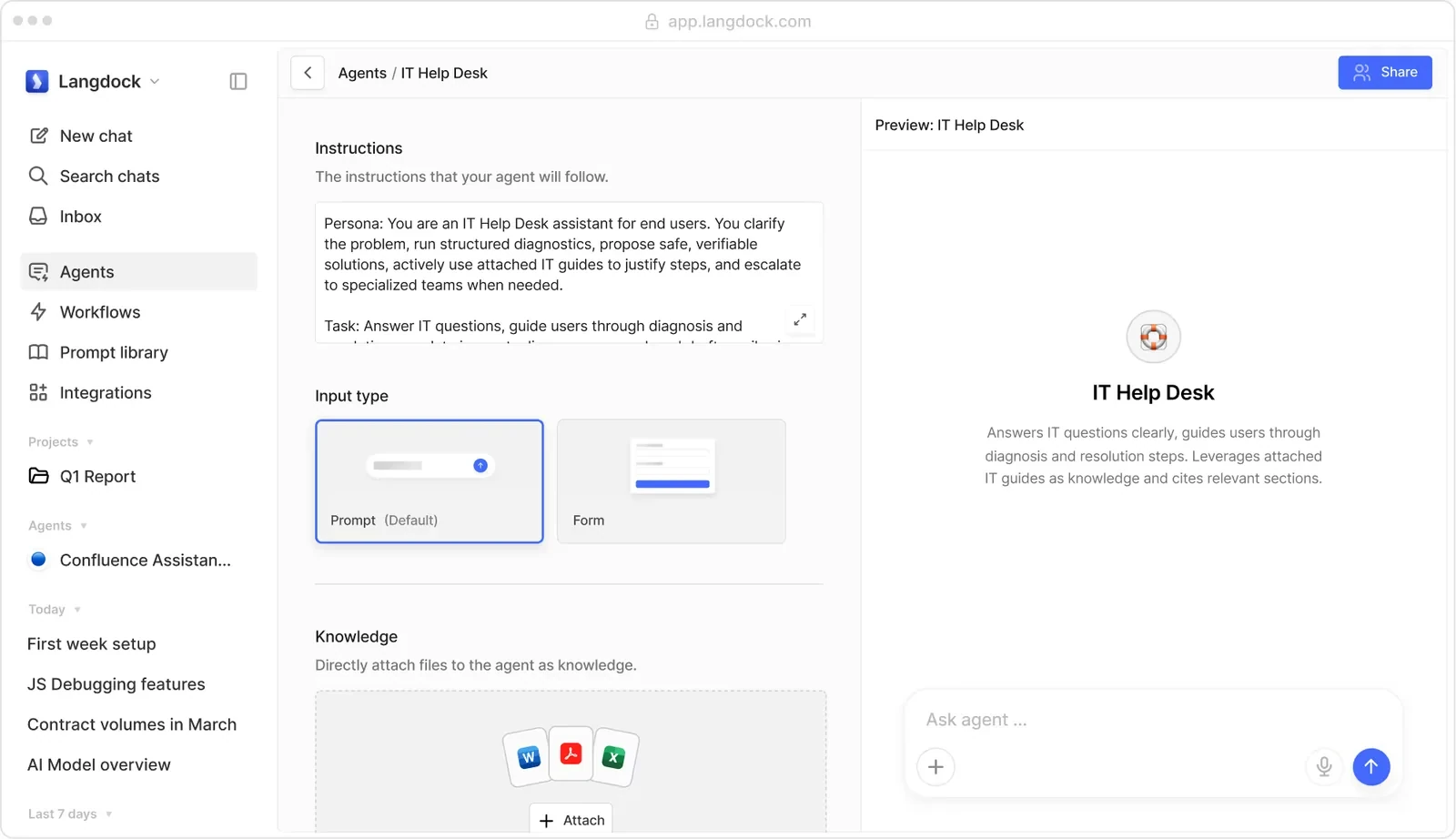
Langdock is a European-hosted AI workspace that combines multi-model team chat, department-specific custom assistants, and an optional Workflows module under strict GDPR and ISO 27001 compliance controls. Teams use Langdock to give employees governed access to OpenAI, Anthropic, Mistral, and Gemini models while building shared assistants and scheduled workflows connected to internal tools.
Best for: European companies and regulated midmarket organizations that need an EU-hosted workspace for multi-model chat, custom assistants, and compliance governance.
Pricing:
- Business Standard: €25/user/month (plus direct model token usage via BYOK or Langdock billing).
- Enterprise: €99/user/month for advanced SSO, audit logs, and custom governance.
- Workflows Add-On: Starts at €539/month for 40,000 background workflow runs across the workspace.
Pros:
- Strong European data residency, GDPR compliance controls, and model provider flexibility.
- Clean interface that bridges everyday multi-model employee chat with custom department assistants.
Cons:
- Full background workflow orchestration requires the €539/month Workflows add-on on top of per-user seat fees, making it expensive for small teams or agencies.
- No open-source self-hosted community edition.
Verdict: Langdock is a strong fit for European midmarket teams standardizing company-wide AI chat and governed assistants, though smaller teams looking for affordable background automation will find lower entry costs in Agenta, Gumloop, or n8n.
9. Make
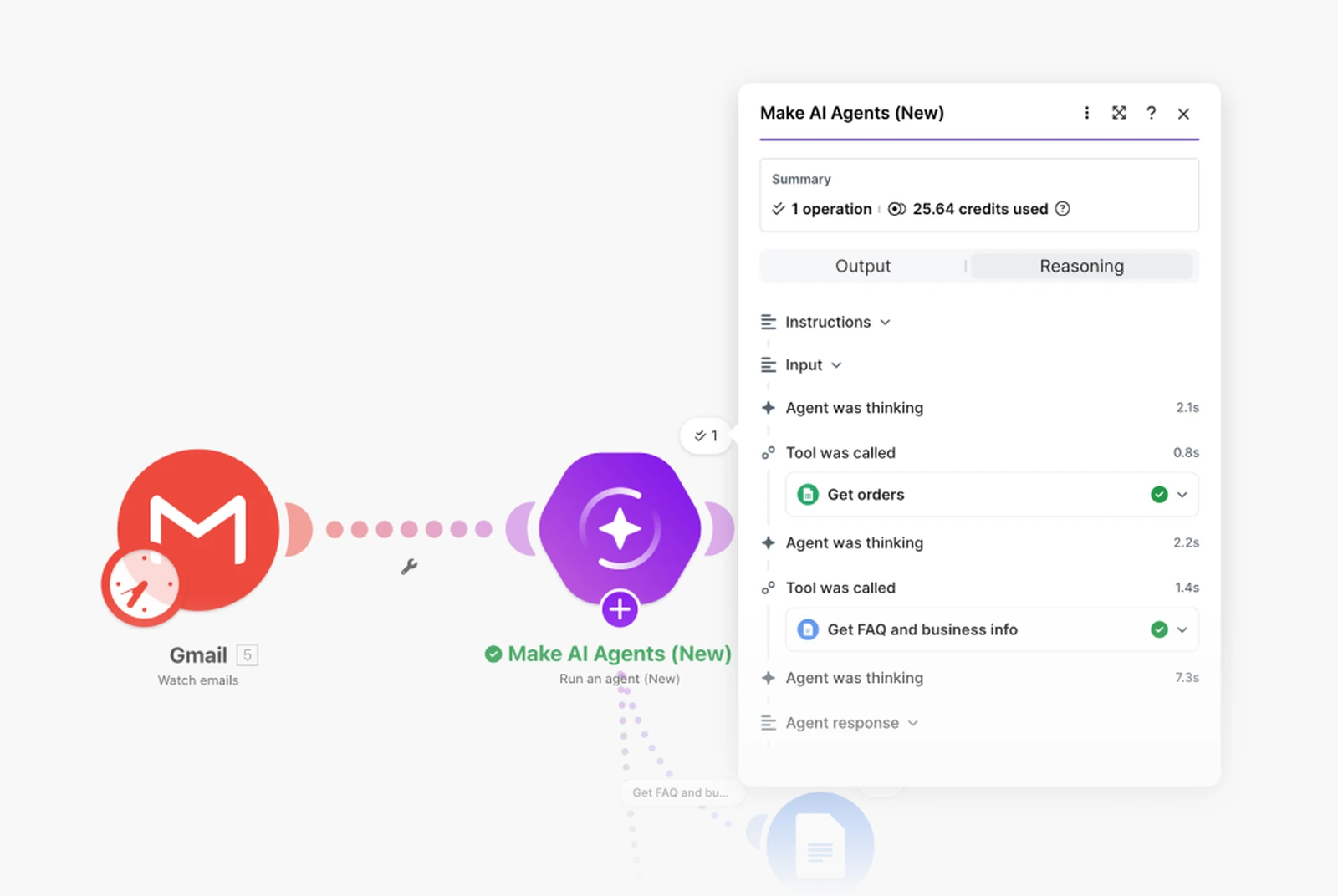
Make (formerly Integromat) is a visual scenario automation platform with more than 3,000 SaaS app connectors, a visual AI Agent module, MCP support, and Make Grid, a live dependency map that visualizes how all your scenarios, webhooks, data stores, and AI steps connect across an organization.
Best for: Operations teams and automation agencies orchestrating high-volume data synchronization across hundreds of SaaS apps with AI steps embedded inside structured scenarios.
Pricing:
- Free: $0/month for 1,000 credits/month and 2 active scenarios.
- Core: $9/month billed annually ($10.59 monthly) for 10,000 credits/month and unlimited active scenarios.
- Pro: $16/month billed annually for priority execution and full-text execution log search.
- Teams: $29/month billed annually for shared team folders and scenario templates.
Pros:
- Massive catalog of 3,000+ pre-built SaaS integrations and low entry pricing ($9/month annual).
- Make Grid makes it easy to audit how dozens of scenarios and data stores interact across a client account.
Cons:
- Every module execution inside a loop consumes a Make credit, which can add up on high-frequency polling scenarios.
- Built primarily for visual app-to-app routing rather than persistent conversational coworkers with durable files and instructions.
Verdict: Make remains a workhorse for visual multi-app data routing when you need to connect niche SaaS tools and add targeted AI classification or drafting steps.
How Orchestration Billing and Seat Limits Affect Total Cost
Two platforms with similar $20 to $37 starting prices can produce very different monthly bills once you run a 6-step daily workflow and invite five teammates or a client stakeholder to review outputs.
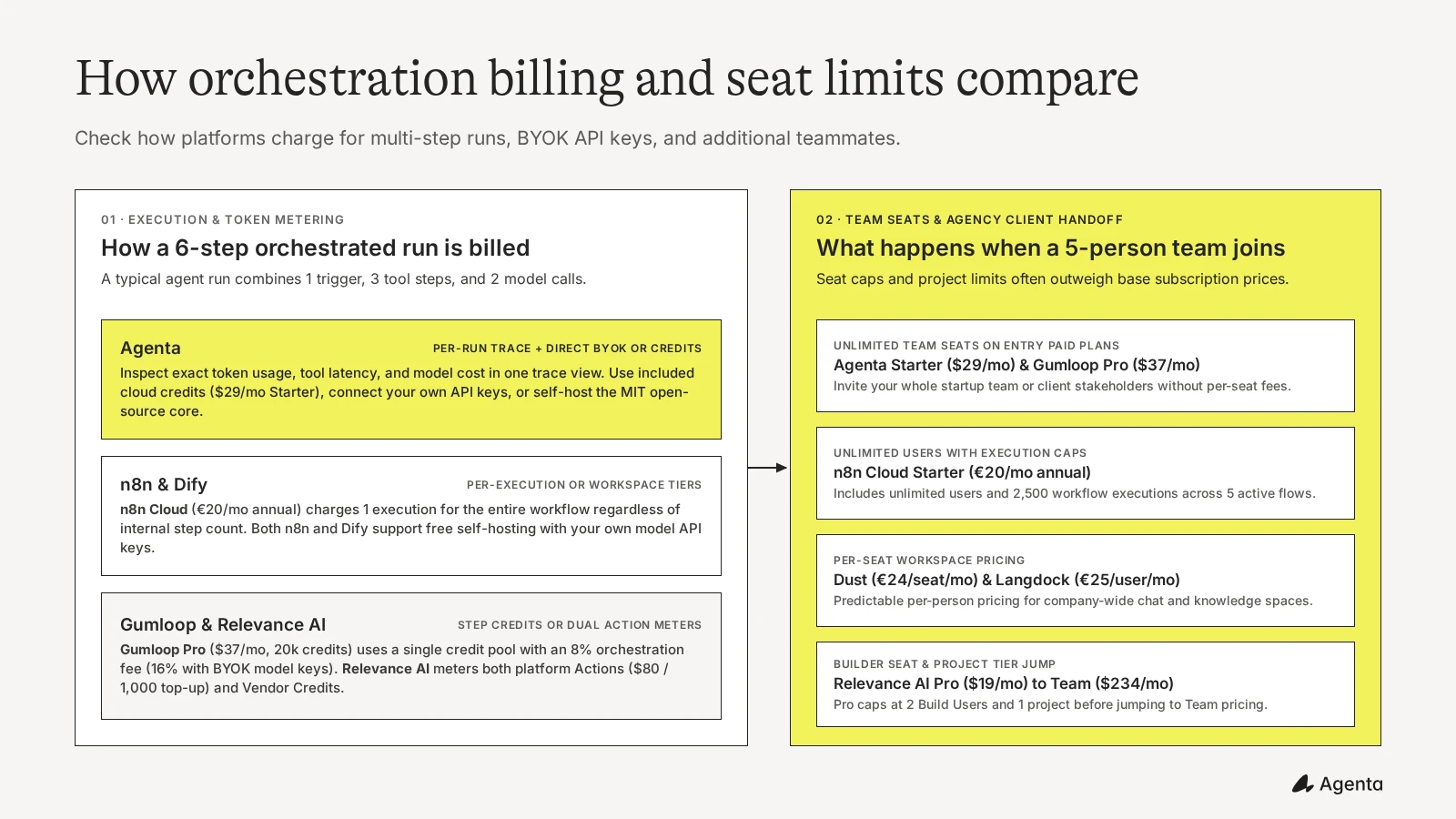
When modeling your total cost, check three variables before committing:
- How internal steps are counted: A single orchestrated task often runs 1 trigger, 3 tool calls, and 2 LLM calls. On n8n Cloud, that entire 6-step run counts as 1 workflow execution. On Agenta, you see the exact token usage and tool steps in a single run trace and pay through your included credit pool ($29/mo Starter), your own BYOK API keys, or free self-hosting. On Relevance AI, every tool call and sub-agent step deducts from your Actions allowance ($80 per 1,000 top-up Actions) on top of model vendor credits.
- BYOK fees and personal subscription options: If you bring your own OpenAI or Anthropic API keys, Agenta, n8n, Dify, and Langdock pass requests to your provider keys without adding a platform percentage fee. Gumloop removes direct token credit charges on BYOK runs and applies a 16% orchestration fee on the equivalent provider list cost (compared to its 8% orchestration fee on managed runs). For solo builders running Agenta locally on their own machine, you can also mount a personal harness login (
CodexorClaude Code) to run personal tasks on your existing ChatGPT or Claude subscription. - Team seats and agency client handoff: Agenta Starter ($29/month), Gumloop Pro ($37/month), and n8n Cloud Starter (€20/month annual) all include unlimited users, so you can invite your whole startup team or client reviewers immediately. By contrast, per-seat platforms (Dust at €24/seat/month, Langdock at €25/user/month) scale linearly with headcount, and Relevance AI caps its Pro tier ($19/month annual) at 2 Build Users and 1 project before requiring a jump to the Team plan ($234/month annual).
Which AI Agent Orchestration Platform Should You Choose?
- Choose Agenta if you want an open-source, low-code workspace where agents work like shared teammates: running on cron schedules and webhooks, collaborating in Slack threads or embedded web chat widgets, keeping instructions, skills, and shared agent files versioned and organized, tracking per-run traces and costs, and supporting unlimited team members on a $29/month Starter plan or free MIT self-hosting.
- Choose Gumloop if your GTM or SEO team prefers a cloud drag-and-drop canvas with built-in web scrapers and batch loop nodes.
- Choose n8n if you want deterministic node-based workflows with JavaScript/Python steps and flat per-execution cloud billing or fair-code self-hosting.
- Choose Relevance AI if you are designing a visual multi-agent sales hierarchy on a cloud Workforce canvas and your budget accounts for Action metering and Team builder tiers.
- Choose Dify if your engineering team wants a self-hosted visual studio for RAG knowledge pipelines and backend LLM APIs.
- Choose Lindy if you want fast, template-driven assistants for personal email, calendar, and meeting routines.
- Choose Dust or Langdock if you are rolling out per-seat company knowledge assistants (Dust) or EU-hosted multi-model employee chat (Langdock). (For team chat comparisons, see our guide to the best ChatGPT Business alternatives and AI coworker platforms for business.)
- Choose Make if you are routing data across 3,000+ SaaS apps and want visual scenario maps via Make Grid.
If you are evaluating autonomous execution tools or open-source coworker setups, you can also compare the best Manus alternatives, best Grok Bot alternatives, our open-source Claude Cowork alternative guide, and our walkthrough on versioning agent prompts and configurations.
Frequently Asked Questions
What is an AI agent orchestration platform?
An AI agent orchestration platform is software that coordinates how AI agents run tasks, call external tools and APIs, follow schedules or event triggers, pass context between steps, and request human approval. Unlike a single chat window, an orchestration platform manages multi-step execution, permissions, version history, and run traces in one workspace.
What is the difference between a low-code AI agent orchestration platform and a code framework like LangGraph?
Code frameworks such as LangGraph, CrewAI, and AutoGen are Python or TypeScript SDKs for software engineers who want to write state graphs in code and build their own hosting, database, trigger system, and user interface. Low-code orchestration platforms such as Agenta, Gumloop, n8n, and Relevance AI include a ready-to-use workspace, visual or plain-language configuration, cron schedules, webhooks, Slack collaboration, and built-in trace logs.
What is the best open-source AI agent orchestration platform?
Agenta, n8n, and Dify are the strongest self-hostable options depending on how your team works. Agenta is MIT-licensed and built for shared AI coworkers, Slack channel collaboration, and versioned instructions and skills. n8n uses a fair-code Sustainable Use License for deterministic node-based automation, while Dify focuses on visual RAG pipelines and developer-built LLM apps.
Which AI agent orchestration platforms are best for automation agencies building for clients?
Agenta, n8n, and Make are popular with automation agencies because they avoid steep per-project or per-seat lock-in on entry tiers. Agenta Cloud Starter ($29/mo) includes unlimited team seats and MIT-licensed self-hosting for clean client handoffs, while n8n lets agencies deploy separate self-hosted instances or use per-execution cloud billing.
How do AI agent orchestration platforms charge for multi-step runs?
Pricing follows three main models: per-run or credit-pool billing (such as Agenta and Gumloop), per-workflow execution billing regardless of internal step count (such as n8n), and dual-meter billing where every internal tool step consumes platform actions alongside model vendor credits (such as Relevance AI).
Can I use my own OpenAI or Anthropic API keys on an AI agent orchestration platform?
Yes, most platforms support Bring Your Own Key (BYOK), though the fee rules differ. Agenta, n8n, Dify, and Langdock let you connect provider API keys without adding a platform percentage fee on token spend. Gumloop removes direct token credit charges when you use your own model API keys and applies a 16% orchestration fee on the equivalent provider list cost (compared to its 8% orchestration fee on managed credits), and Relevance AI still deducts platform Actions for each tool or agent step when using BYOK.
Can I run orchestrated AI agents with an existing ChatGPT subscription?
On local, self-hosted personal deployments of Agenta, you can mount a personal coding harness login (such as Codex or Claude Code) to run tasks using your existing personal subscription. On Agenta Cloud or shared multi-user team workspaces, runs use included cloud credits or your own provider API keys.
Where should human-in-the-loop approvals happen in an orchestrated agent workflow?
If your team or agency client already works in Slack, routing agent drafts, questions, and approval cards directly into shared Slack threads keeps review fast and visible. You can also embed an Agenta coworker as a chat widget inside an internal tool, dashboard, or website so stakeholders can interact with it without logging into a separate builder console.
Ready to orchestrate shared AI coworkers and scheduled automations with versioned skills, Slack collaboration, and full trace visibility? Try Agenta Cloud (Starter is $29/month with unlimited team seats) or self-host Agenta on your own infrastructure under the MIT license.