CI/CD for LLM Prompts: How to Build a Prompt Deployment Pipeline

CI/CD for LLM Prompts: How to Build a Prompt Deployment Pipeline

How to build a CI/CD pipeline for LLM prompts. Covers webhook integration, automated evaluation gates, and three deployment paths.

How to build a CI/CD pipeline for LLM prompts. Covers webhook integration, automated evaluation gates, and three deployment paths.

Feb 11, 2026

Feb 11, 2026

-

10 min read

10 min read

Ship reliable AI apps faster

Agenta is the open-source LLMOps platform: prompt management, evals, and LLM observability all in one place.

Every engineering team has a deployment pipeline for code. You push a commit, tests run, a reviewer approves, and the change ships to production. The process is battle-tested. It prevents broken code from reaching users.

Prompts don’t get the same treatment. In most organizations, a prompt change means editing a string in the codebase, opening a PR, waiting for a review, and deploying the whole application. Or worse, someone pastes a new prompt into a config file and pushes straight to main.

Neither approach works well. The first is too slow. The second is too risky. What teams actually need is a prompt deployment pipeline: a CI/CD process designed for how prompts are authored, tested, and released.

This article walks through how to build one. We’ll cover how traditional CI/CD maps to prompts, the architecture of a prompt deployment pipeline, three integration paths, and how to add automated evaluation as a quality gate.

Why CI/CD for prompts matters

A prompt is not code, but it behaves like a deployment artifact. When you change a prompt in production, you change how your application behaves. A small wording tweak can shift tone, accuracy, or output format. A model parameter change can alter latency and cost. These are production-impacting changes, and they deserve the same deployment rigor as a code change.

The problem is that most teams are early in their AI readiness. The processes for change management are not in place. Testing for quality regressions, prompt versioning, evaluation, observability: none of it is set up. Prompts live as hardcoded strings. Changes are deployed by gut feel.

This creates two failure modes:

  1. Uncontrolled changes. Someone edits a prompt directly and ships it. There is no review, no test, no rollback path. When output quality drops, nobody knows which change caused it.

  2. Over-controlled changes. Every prompt change requires a PR, a code review, and a full application deploy. This is the right process for code. For prompts, where you might try ten variations in an hour, it is too slow. Teams stop iterating because the friction is too high.

A prompt CI/CD pipeline solves both problems. It gives you deployment safety (versioning, testing, approval gates) without forcing prompt changes through the full software release cycle.

How CI/CD works for code vs. prompts

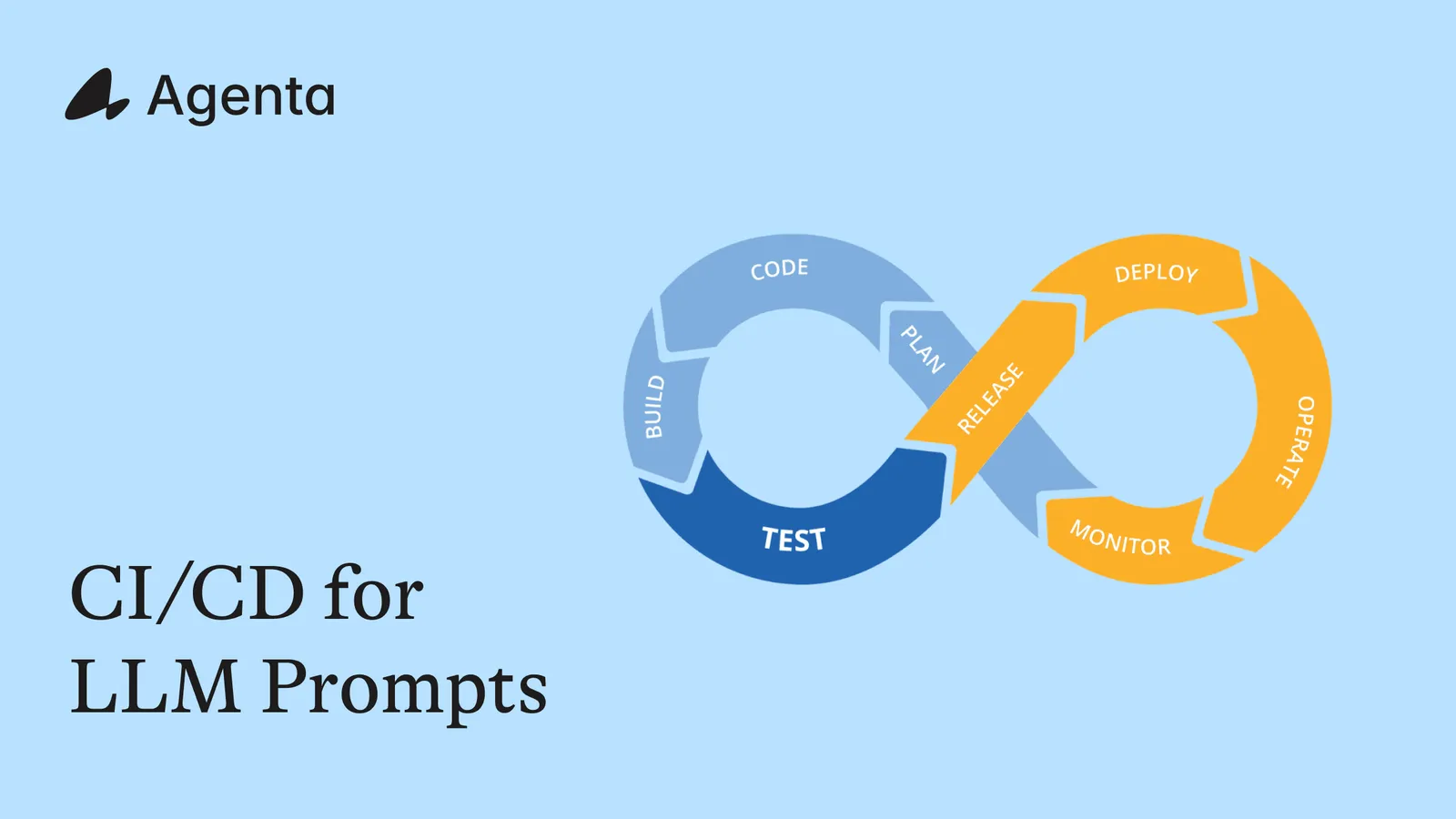
The stages of a CI/CD pipeline are the same whether you’re shipping code or prompts. The difference is in what happens at each stage.

Stage

Code CI/CD

Prompt CI/CD

Author

Write code in an IDE

Write prompts in a playground or management UI

Version

Git commits and branches

Prompt versions and variants

Test

Unit tests, integration tests

Evaluation against test sets (automated scoring)

Review

Pull request, code review

Side-by-side comparison of prompt versions, human review

Stage

Deploy to staging environment

Deploy prompt to staging environment

Release

Deploy to production

Deploy prompt to production environment

Monitor

APM, error tracking

LLM observability (cost, latency, output quality per version)

The biggest difference is in the authoring and testing stages. Code is written in an IDE and tested with deterministic assertions. Prompts are written in a playground where you can test variations interactively, and they’re evaluated with scoring functions that account for non-deterministic outputs.

That difference has a practical consequence. A prompt management system handles the authoring, versioning, and testing stages. Your existing CI/CD system (GitHub Actions, GitLab CI, Jenkins) handles the deployment stages. The two systems connect through an integration layer.

The prompt deployment pipeline

Here is what a prompt deployment pipeline looks like end to end:

1. Author in a playground. An engineer or product team member writes and iterates on prompts in a dedicated playground. They test variations against sample inputs, compare outputs side by side, and adjust model parameters. This is fast, interactive work. It should not require a code change or a deploy.

2. Evaluate against test sets. Before a prompt leaves the playground, it runs against a test set: a collection of representative inputs with expected outputs or scoring criteria. Evaluators (exact match, LLM-as-a-judge, custom scoring functions) check output quality automatically. This is the equivalent of running unit tests.

3. Deploy to staging. When a prompt version passes evaluation, it gets deployed to a staging environment. The staging environment mirrors production but serves internal traffic. Team members can do a final check on real-world-like inputs.

4. Review and approve. A team lead or reviewer examines the evaluation results, compares the new version against the current production version, and approves the promotion to production. This can happen inside the prompt management system or through a PR review, depending on your integration path.

5. Deploy to production. The approved prompt version is deployed to the production environment. Depending on how you integrate, this either happens instantly (the application fetches the new version at runtime) or through a code deploy (a CI job updates the prompt in your repository and triggers a release).

6. Monitor in production. Observability tracks inputs, outputs, latency, cost, and errors per prompt version. If the new version causes a regression, you can roll back to the previous version.

Three ways to connect prompts to your deploy pipeline

The architecture of your prompt pipeline depends on how your application retrieves prompts at runtime. There are three integration paths:

Path 1: Live fetching (SDK/API)

Your application fetches the latest deployed prompt from the prompt management system at runtime using an SDK or API call. When someone deploys a new prompt version to the production environment, the application picks it up on the next request (or after a cache TTL expires).

How it works: Your code calls something like ag.config.pull(environment="production") at startup or on a schedule. The prompt management system is the source of truth. No code deploy is needed to update a prompt.

Best for: Teams that want instant prompt updates without code deploys. The prompt management system sits outside the critical path if you cache the fetched config.

Tradeoff: Your application has a runtime dependency on the prompt management system (mitigated by caching).

Path 2: Proxy / gateway

Your application calls the prompt management system as a middleware layer. Instead of calling the LLM directly, you call an endpoint that assembles the prompt, forwards the request to the LLM, and returns the response.

How it works: The prompt management system acts as a gateway. You send your input variables and it handles prompt assembly, model routing, and response delivery. Tracing happens automatically.

Best for: Teams that want the simplest integration with automatic observability. Good for applications where a small amount of added latency (around 300ms) is acceptable.

Tradeoff: Adds latency. Streaming support may be limited.

Path 3: CI/CD webhooks (Git as ground truth)

When a prompt is deployed in the management system, a webhook triggers a CI job in your repository. The CI job creates a pull request with the updated prompt configuration. The change goes through your normal code review and release process. Git remains the single source of truth for what is in production.

How it works: A prompt engineer authors and tests the prompt in the management UI. When they deploy to production, a webhook fires. Your CI system (GitHub Actions, GitLab CI) receives the webhook, fetches the new prompt config via API, creates a branch, commits the change, and opens a PR. Engineers review the PR. On merge, the standard deploy pipeline ships it.

Best for: Teams where Git must be the ground truth. Regulated industries. Organizations with strict change management policies. Engineers who want to review prompt changes the same way they review code.

Tradeoff: Slower iteration cycle since each prompt change goes through a full PR and deploy. That said, the authoring and evaluation still happen in the prompt management system at full speed. Only the deployment goes through Git.

Here is a comparison:


Live Fetching

Proxy/Gateway

CI/CD Webhooks

Source of truth

Prompt management system

Prompt management system

Git repository

Deploy speed

Instant (on next fetch)

Instant

Minutes (PR + merge + deploy)

Code change required

No

No

Yes (automated PR)

Observability

Manual setup needed

Automatic

Manual setup needed

Added latency

None (with caching)

~300ms per call

None

Best for

Fast iteration teams

Simple integration

Regulated / Git-first teams

Building a CI/CD pipeline for prompts: step by step

Let’s walk through Path 3 (CI/CD webhooks) in detail, since it is the most involved and the one that integrates most tightly with existing engineering workflows.

Step 1: Set up prompt versioning and environments

Before you can build a pipeline, you need a place to manage prompts outside of code. Set up a prompt management system with:

  • Versions: Every prompt change creates an immutable snapshot with a unique ID.

  • Variants: Independent branches for experimenting with different approaches (similar to Git branches).

  • Environments: At minimum, a staging and production environment. Each environment points to a specific prompt version.

In Agenta, this maps to the versioning and environments model. You create an application, iterate on variants in the playground, and deploy specific versions to environments.

Step 2: Author and test prompts in the playground

Prompt engineers use the playground to iterate. They write a prompt, test it against sample inputs, adjust wording or parameters, and compare variants side by side. This is the fast iteration loop. No PRs. No deploys. Just direct experimentation.

When a prompt variant looks good, the engineer runs a formal evaluation against a test set. We will cover automated evaluation in the next section.

Step 3: Configure the webhook

When a prompt version is deployed to an environment (say, production), configure a webhook that sends a POST request to your CI system. The webhook payload includes the application ID, the environment, and the new version ID.

Here is an example GitHub Actions workflow that listens for the webhook:

# .github/workflows/prompt-deploy.yml
name: Prompt Deployment

on:
  repository_dispatch:
    types: [prompt-deployed]

jobs:
  update-prompt:
    runs-on: ubuntu-latest
    steps:
      - uses: actions/checkout@v4

      - name: Fetch prompt config from Agenta
        env:
          AGENTA_API_KEY: ${{ secrets.AGENTA_API_KEY }}
        run: |
          curl -s -H "Authorization: Bearer $AGENTA_API_KEY" \
            "https://cloud.agenta.ai/api/v2/variants/${{ github.event.client_payload.variant_id }}/revisions/${{ github.event.client_payload.version_id }}" \
            -o prompts/${{ github.event.client_payload.app_slug }}.json

      - name: Create pull request
        uses: peter-evans/create-pull-request@v6
        with:
          token: ${{ secrets.GITHUB_TOKEN }}
          branch: prompt-update/${{ github.event.client_payload.app_slug }}
          title: "Update prompt: ${{ github.event.client_payload.app_slug }}"
          body: |
            Prompt version deployed from Agenta.

            **App:** ${{ github.event.client_payload.app_slug }}
            **Environment:** ${{ github.event.client_payload.environment }}
            **Version:** ${{ github.event.client_payload.version_id }}

            Review the prompt configuration diff below.
          commit-message: "chore: update prompt config for ${{ github.event.client_payload.app_slug }}"

Step 4: Review the PR

The automated PR contains the prompt config diff. Reviewers can see exactly what changed: the system prompt text, the model, temperature, max tokens, or any other parameter. This is a lightweight review since the prompt has already been tested and evaluated in the management system.

Step 5: Merge and deploy

On merge, your existing deploy pipeline ships the updated prompt config to production. Your application reads the prompt from the config file at startup or runtime.

Step 6: Monitor with observability

After deploy, observability tracks how the new prompt version performs in production. You can compare latency, cost, and output quality between the old and new versions. If something goes wrong, roll back by reverting the PR or deploying the previous version from the prompt management system.

Adding automated evaluation to your prompt pipeline

The most powerful part of a prompt CI/CD pipeline is the ability to run automated evaluation before deployment. This is the equivalent of running tests in a code CI pipeline: if evaluation fails, the prompt does not ship.

How prompt evaluation works

Evaluation runs your prompt against a test set and scores the outputs. A test set is a collection of input-output pairs or input-criteria pairs. Evaluators are functions that score each output.

Common evaluator types:

  • Exact match: Does the output match the expected answer?

  • Contains / regex: Does the output contain the required information?

  • LLM-as-a-judge: A separate LLM scores the output on criteria like relevance, accuracy, or tone.

  • Custom scoring functions: Any Python function that takes the output and expected data and returns a score.

Running evaluation from the SDK

With Agenta, you can run evaluations programmatically using the evaluation SDK. Here is a simplified example:

import agenta as ag
from agenta.sdk.evaluations import aevaluate

ag.init()

# Define your test data
test_data = [
    {"query": "What is your return policy?", "expected_topic": "returns"},
    {"query": "How do I reset my password?", "expected_topic": "account"},
    {"query": "What are your pricing plans?", "expected_topic": "pricing"},
]

# Define an evaluator
@ag.evaluator(slug="topic_check")
async def topic_check(expected_topic: str, outputs: str):
    is_on_topic = expected_topic.lower() in outputs.lower()
    return {"score": 1.0 if is_on_topic else 0.0, "success": is_on_topic}

# Run the evaluation
async def run():
    testset = await ag.testsets.acreate(name="Support QA", data=test_data)
    result = await aevaluate(
        testsets=[testset.id],
        applications=[your_app],
        evaluators=[topic_check],
    )
    return result

Evaluation as a CI gate

You can integrate evaluation directly into your CI pipeline. Before the prompt change PR is opened (or as a check on the PR), run the evaluation suite. If scores drop below a threshold, fail the check and block the merge.

Here is how that looks as a GitHub Actions step:

      - name: Run prompt evaluation
        env:
          AGENTA_API_KEY: ${{ secrets.AGENTA_API_KEY }}
          AGENTA_HOST: https://cloud.agenta.ai
        run: |
          python scripts/evaluate_prompt.py \
            --app-slug ${{ github.event.client_payload.app_slug }} \
            --version-id ${{ github.event.client_payload.version_id }} \
            --threshold 0.85

      - name: Check evaluation results
        run: |
          if [ $? -ne 0 ]; then
            echo "Evaluation score below threshold. Blocking deployment."
            exit 1
          fi

This gives you a safety net. Prompts are still authored and iterated on quickly in the playground. But before they reach production, they pass through automated quality checks, just like code passes through tests.

Getting started

Building a prompt CI/CD pipeline does not require starting from scratch. The pattern is straightforward: manage prompts in a dedicated system, connect that system to your deploy pipeline, and add evaluation as a gate.

Agenta gives you the building blocks. It handles prompt versioning with variants and immutable versions. It provides environments (development, staging, production) that map directly to your software environments. It runs automated evaluation from the SDK so you can wire it into CI. And it tracks production behavior through observability so you know how each prompt version performs after deployment.

You can start with live fetching for speed and add CI/CD webhooks later when your process matures. Or start with webhooks from day one if Git-as-ground-truth is a requirement.

The point is to stop treating prompts as an afterthought in your deployment process. They change your application’s behavior. They deserve a pipeline.

Start for free or check the integration docs to see how Agenta fits your workflow.

FAQ

What is CI/CD for prompts?

CI/CD for prompts is the practice of applying continuous integration and continuous deployment principles to LLM prompt changes. It means versioning every prompt change, running automated evaluation (testing) before deployment, using staging environments for review, and deploying to production through a controlled pipeline. The goal is to bring the same deployment safety you have for code to prompt changes.

How is a prompt deployment pipeline different from a code deployment pipeline?

The stages are similar (author, test, review, stage, deploy, monitor) but the tools differ. Code is written in an IDE and tested with deterministic unit tests. Prompts are written in a playground and tested with evaluators that handle non-deterministic outputs. A prompt management system typically handles the authoring and evaluation stages, while your existing CI/CD system handles the deployment stages.

Can I use GitHub Actions for prompt CI/CD?

Yes. The most common pattern is to use a webhook from your prompt management system that triggers a GitHub Actions workflow. The workflow fetches the new prompt configuration, creates a pull request, and optionally runs automated evaluation as a status check. On merge, your standard deploy pipeline ships the change.

Do I need a separate tool for prompt CI/CD, or can I just use Git?

You can use Git alone, but you lose the fast iteration loop. Writing and testing prompts directly in Git means every experiment requires a commit, a push, and possibly a deploy. A prompt management system gives you a playground for rapid iteration and evaluation, then connects to Git for the deployment step. The combination gives you speed during authoring and safety during deployment.
Every engineering team has a deployment pipeline for code. You push a commit, tests run, a reviewer approves, and the change ships to production. The process is battle-tested. It prevents broken code from reaching users.

Prompts don’t get the same treatment. In most organizations, a prompt change means editing a string in the codebase, opening a PR, waiting for a review, and deploying the whole application. Or worse, someone pastes a new prompt into a config file and pushes straight to main.

Neither approach works well. The first is too slow. The second is too risky. What teams actually need is a prompt deployment pipeline: a CI/CD process designed for how prompts are authored, tested, and released.

This article walks through how to build one. We’ll cover how traditional CI/CD maps to prompts, the architecture of a prompt deployment pipeline, three integration paths, and how to add automated evaluation as a quality gate.

Why CI/CD for prompts matters

A prompt is not code, but it behaves like a deployment artifact. When you change a prompt in production, you change how your application behaves. A small wording tweak can shift tone, accuracy, or output format. A model parameter change can alter latency and cost. These are production-impacting changes, and they deserve the same deployment rigor as a code change.

The problem is that most teams are early in their AI readiness. The processes for change management are not in place. Testing for quality regressions, prompt versioning, evaluation, observability: none of it is set up. Prompts live as hardcoded strings. Changes are deployed by gut feel.

This creates two failure modes:

  1. Uncontrolled changes. Someone edits a prompt directly and ships it. There is no review, no test, no rollback path. When output quality drops, nobody knows which change caused it.

  2. Over-controlled changes. Every prompt change requires a PR, a code review, and a full application deploy. This is the right process for code. For prompts, where you might try ten variations in an hour, it is too slow. Teams stop iterating because the friction is too high.

A prompt CI/CD pipeline solves both problems. It gives you deployment safety (versioning, testing, approval gates) without forcing prompt changes through the full software release cycle.

How CI/CD works for code vs. prompts

The stages of a CI/CD pipeline are the same whether you’re shipping code or prompts. The difference is in what happens at each stage.

Stage

Code CI/CD

Prompt CI/CD

Author

Write code in an IDE

Write prompts in a playground or management UI

Version

Git commits and branches

Prompt versions and variants

Test

Unit tests, integration tests

Evaluation against test sets (automated scoring)

Review

Pull request, code review

Side-by-side comparison of prompt versions, human review

Stage

Deploy to staging environment

Deploy prompt to staging environment

Release

Deploy to production

Deploy prompt to production environment

Monitor

APM, error tracking

LLM observability (cost, latency, output quality per version)

The biggest difference is in the authoring and testing stages. Code is written in an IDE and tested with deterministic assertions. Prompts are written in a playground where you can test variations interactively, and they’re evaluated with scoring functions that account for non-deterministic outputs.

That difference has a practical consequence. A prompt management system handles the authoring, versioning, and testing stages. Your existing CI/CD system (GitHub Actions, GitLab CI, Jenkins) handles the deployment stages. The two systems connect through an integration layer.

The prompt deployment pipeline

Here is what a prompt deployment pipeline looks like end to end:

1. Author in a playground. An engineer or product team member writes and iterates on prompts in a dedicated playground. They test variations against sample inputs, compare outputs side by side, and adjust model parameters. This is fast, interactive work. It should not require a code change or a deploy.

2. Evaluate against test sets. Before a prompt leaves the playground, it runs against a test set: a collection of representative inputs with expected outputs or scoring criteria. Evaluators (exact match, LLM-as-a-judge, custom scoring functions) check output quality automatically. This is the equivalent of running unit tests.

3. Deploy to staging. When a prompt version passes evaluation, it gets deployed to a staging environment. The staging environment mirrors production but serves internal traffic. Team members can do a final check on real-world-like inputs.

4. Review and approve. A team lead or reviewer examines the evaluation results, compares the new version against the current production version, and approves the promotion to production. This can happen inside the prompt management system or through a PR review, depending on your integration path.

5. Deploy to production. The approved prompt version is deployed to the production environment. Depending on how you integrate, this either happens instantly (the application fetches the new version at runtime) or through a code deploy (a CI job updates the prompt in your repository and triggers a release).

6. Monitor in production. Observability tracks inputs, outputs, latency, cost, and errors per prompt version. If the new version causes a regression, you can roll back to the previous version.

Three ways to connect prompts to your deploy pipeline

The architecture of your prompt pipeline depends on how your application retrieves prompts at runtime. There are three integration paths:

Path 1: Live fetching (SDK/API)

Your application fetches the latest deployed prompt from the prompt management system at runtime using an SDK or API call. When someone deploys a new prompt version to the production environment, the application picks it up on the next request (or after a cache TTL expires).

How it works: Your code calls something like ag.config.pull(environment="production") at startup or on a schedule. The prompt management system is the source of truth. No code deploy is needed to update a prompt.

Best for: Teams that want instant prompt updates without code deploys. The prompt management system sits outside the critical path if you cache the fetched config.

Tradeoff: Your application has a runtime dependency on the prompt management system (mitigated by caching).

Path 2: Proxy / gateway

Your application calls the prompt management system as a middleware layer. Instead of calling the LLM directly, you call an endpoint that assembles the prompt, forwards the request to the LLM, and returns the response.

How it works: The prompt management system acts as a gateway. You send your input variables and it handles prompt assembly, model routing, and response delivery. Tracing happens automatically.

Best for: Teams that want the simplest integration with automatic observability. Good for applications where a small amount of added latency (around 300ms) is acceptable.

Tradeoff: Adds latency. Streaming support may be limited.

Path 3: CI/CD webhooks (Git as ground truth)

When a prompt is deployed in the management system, a webhook triggers a CI job in your repository. The CI job creates a pull request with the updated prompt configuration. The change goes through your normal code review and release process. Git remains the single source of truth for what is in production.

How it works: A prompt engineer authors and tests the prompt in the management UI. When they deploy to production, a webhook fires. Your CI system (GitHub Actions, GitLab CI) receives the webhook, fetches the new prompt config via API, creates a branch, commits the change, and opens a PR. Engineers review the PR. On merge, the standard deploy pipeline ships it.

Best for: Teams where Git must be the ground truth. Regulated industries. Organizations with strict change management policies. Engineers who want to review prompt changes the same way they review code.

Tradeoff: Slower iteration cycle since each prompt change goes through a full PR and deploy. That said, the authoring and evaluation still happen in the prompt management system at full speed. Only the deployment goes through Git.

Here is a comparison:


Live Fetching

Proxy/Gateway

CI/CD Webhooks

Source of truth

Prompt management system

Prompt management system

Git repository

Deploy speed

Instant (on next fetch)

Instant

Minutes (PR + merge + deploy)

Code change required

No

No

Yes (automated PR)

Observability

Manual setup needed

Automatic

Manual setup needed

Added latency

None (with caching)

~300ms per call

None

Best for

Fast iteration teams

Simple integration

Regulated / Git-first teams

Building a CI/CD pipeline for prompts: step by step

Let’s walk through Path 3 (CI/CD webhooks) in detail, since it is the most involved and the one that integrates most tightly with existing engineering workflows.

Step 1: Set up prompt versioning and environments

Before you can build a pipeline, you need a place to manage prompts outside of code. Set up a prompt management system with:

  • Versions: Every prompt change creates an immutable snapshot with a unique ID.

  • Variants: Independent branches for experimenting with different approaches (similar to Git branches).

  • Environments: At minimum, a staging and production environment. Each environment points to a specific prompt version.

In Agenta, this maps to the versioning and environments model. You create an application, iterate on variants in the playground, and deploy specific versions to environments.

Step 2: Author and test prompts in the playground

Prompt engineers use the playground to iterate. They write a prompt, test it against sample inputs, adjust wording or parameters, and compare variants side by side. This is the fast iteration loop. No PRs. No deploys. Just direct experimentation.

When a prompt variant looks good, the engineer runs a formal evaluation against a test set. We will cover automated evaluation in the next section.

Step 3: Configure the webhook

When a prompt version is deployed to an environment (say, production), configure a webhook that sends a POST request to your CI system. The webhook payload includes the application ID, the environment, and the new version ID.

Here is an example GitHub Actions workflow that listens for the webhook:

# .github/workflows/prompt-deploy.yml
name: Prompt Deployment

on:
  repository_dispatch:
    types: [prompt-deployed]

jobs:
  update-prompt:
    runs-on: ubuntu-latest
    steps:
      - uses: actions/checkout@v4

      - name: Fetch prompt config from Agenta
        env:
          AGENTA_API_KEY: ${{ secrets.AGENTA_API_KEY }}
        run: |
          curl -s -H "Authorization: Bearer $AGENTA_API_KEY" \
            "https://cloud.agenta.ai/api/v2/variants/${{ github.event.client_payload.variant_id }}/revisions/${{ github.event.client_payload.version_id }}" \
            -o prompts/${{ github.event.client_payload.app_slug }}.json

      - name: Create pull request
        uses: peter-evans/create-pull-request@v6
        with:
          token: ${{ secrets.GITHUB_TOKEN }}
          branch: prompt-update/${{ github.event.client_payload.app_slug }}
          title: "Update prompt: ${{ github.event.client_payload.app_slug }}"
          body: |
            Prompt version deployed from Agenta.

            **App:** ${{ github.event.client_payload.app_slug }}
            **Environment:** ${{ github.event.client_payload.environment }}
            **Version:** ${{ github.event.client_payload.version_id }}

            Review the prompt configuration diff below.
          commit-message: "chore: update prompt config for ${{ github.event.client_payload.app_slug }}"

Step 4: Review the PR

The automated PR contains the prompt config diff. Reviewers can see exactly what changed: the system prompt text, the model, temperature, max tokens, or any other parameter. This is a lightweight review since the prompt has already been tested and evaluated in the management system.

Step 5: Merge and deploy

On merge, your existing deploy pipeline ships the updated prompt config to production. Your application reads the prompt from the config file at startup or runtime.

Step 6: Monitor with observability

After deploy, observability tracks how the new prompt version performs in production. You can compare latency, cost, and output quality between the old and new versions. If something goes wrong, roll back by reverting the PR or deploying the previous version from the prompt management system.

Adding automated evaluation to your prompt pipeline

The most powerful part of a prompt CI/CD pipeline is the ability to run automated evaluation before deployment. This is the equivalent of running tests in a code CI pipeline: if evaluation fails, the prompt does not ship.

How prompt evaluation works

Evaluation runs your prompt against a test set and scores the outputs. A test set is a collection of input-output pairs or input-criteria pairs. Evaluators are functions that score each output.

Common evaluator types:

  • Exact match: Does the output match the expected answer?

  • Contains / regex: Does the output contain the required information?

  • LLM-as-a-judge: A separate LLM scores the output on criteria like relevance, accuracy, or tone.

  • Custom scoring functions: Any Python function that takes the output and expected data and returns a score.

Running evaluation from the SDK

With Agenta, you can run evaluations programmatically using the evaluation SDK. Here is a simplified example:

import agenta as ag
from agenta.sdk.evaluations import aevaluate

ag.init()

# Define your test data
test_data = [
    {"query": "What is your return policy?", "expected_topic": "returns"},
    {"query": "How do I reset my password?", "expected_topic": "account"},
    {"query": "What are your pricing plans?", "expected_topic": "pricing"},
]

# Define an evaluator
@ag.evaluator(slug="topic_check")
async def topic_check(expected_topic: str, outputs: str):
    is_on_topic = expected_topic.lower() in outputs.lower()
    return {"score": 1.0 if is_on_topic else 0.0, "success": is_on_topic}

# Run the evaluation
async def run():
    testset = await ag.testsets.acreate(name="Support QA", data=test_data)
    result = await aevaluate(
        testsets=[testset.id],
        applications=[your_app],
        evaluators=[topic_check],
    )
    return result

Evaluation as a CI gate

You can integrate evaluation directly into your CI pipeline. Before the prompt change PR is opened (or as a check on the PR), run the evaluation suite. If scores drop below a threshold, fail the check and block the merge.

Here is how that looks as a GitHub Actions step:

      - name: Run prompt evaluation
        env:
          AGENTA_API_KEY: ${{ secrets.AGENTA_API_KEY }}
          AGENTA_HOST: https://cloud.agenta.ai
        run: |
          python scripts/evaluate_prompt.py \
            --app-slug ${{ github.event.client_payload.app_slug }} \
            --version-id ${{ github.event.client_payload.version_id }} \
            --threshold 0.85

      - name: Check evaluation results
        run: |
          if [ $? -ne 0 ]; then
            echo "Evaluation score below threshold. Blocking deployment."
            exit 1
          fi

This gives you a safety net. Prompts are still authored and iterated on quickly in the playground. But before they reach production, they pass through automated quality checks, just like code passes through tests.

Getting started

Building a prompt CI/CD pipeline does not require starting from scratch. The pattern is straightforward: manage prompts in a dedicated system, connect that system to your deploy pipeline, and add evaluation as a gate.

Agenta gives you the building blocks. It handles prompt versioning with variants and immutable versions. It provides environments (development, staging, production) that map directly to your software environments. It runs automated evaluation from the SDK so you can wire it into CI. And it tracks production behavior through observability so you know how each prompt version performs after deployment.

You can start with live fetching for speed and add CI/CD webhooks later when your process matures. Or start with webhooks from day one if Git-as-ground-truth is a requirement.

The point is to stop treating prompts as an afterthought in your deployment process. They change your application’s behavior. They deserve a pipeline.

Start for free or check the integration docs to see how Agenta fits your workflow.

FAQ

What is CI/CD for prompts?

CI/CD for prompts is the practice of applying continuous integration and continuous deployment principles to LLM prompt changes. It means versioning every prompt change, running automated evaluation (testing) before deployment, using staging environments for review, and deploying to production through a controlled pipeline. The goal is to bring the same deployment safety you have for code to prompt changes.

How is a prompt deployment pipeline different from a code deployment pipeline?

The stages are similar (author, test, review, stage, deploy, monitor) but the tools differ. Code is written in an IDE and tested with deterministic unit tests. Prompts are written in a playground and tested with evaluators that handle non-deterministic outputs. A prompt management system typically handles the authoring and evaluation stages, while your existing CI/CD system handles the deployment stages.

Can I use GitHub Actions for prompt CI/CD?

Yes. The most common pattern is to use a webhook from your prompt management system that triggers a GitHub Actions workflow. The workflow fetches the new prompt configuration, creates a pull request, and optionally runs automated evaluation as a status check. On merge, your standard deploy pipeline ships the change.

Do I need a separate tool for prompt CI/CD, or can I just use Git?

You can use Git alone, but you lose the fast iteration loop. Writing and testing prompts directly in Git means every experiment requires a commit, a push, and possibly a deploy. A prompt management system gives you a playground for rapid iteration and evaluation, then connects to Git for the deployment step. The combination gives you speed during authoring and safety during deployment.
Co-Founder Agenta & LLM Engineering Expert

Ship reliable agents faster with Agenta

Build reliable LLM apps together with integrated prompt
management, evaluation, and observability.

Ship reliable agents faster with Agenta

Build reliable LLM apps together with integrated prompt
management, evaluation, and observability.

Ship reliable agents faster with Agenta

Build reliable LLM apps together with integrated prompt
management, evaluation, and observability.